
QuickBooks Journal Entry mode
How a store in Journal Entry mode posts to QuickBooks Online. Each closed register becomes one balanced summary journal on four accounts plus a bank or clearing account per payment type, with a live preview and the cases journal mode holds.
In Journal Entry mode, each closed register posts as one balanced summary journal entry for its sales, and one for its returns. Instead of item groups and tax codes, the whole register is booked to a few accounts. Choose it when your accountant only needs the totals in the general ledger.
This page assumes the store is already connected. See QuickBooks Integration to connect a store.
What a journal holds
- Sales / income (credit) — all sales, net of every discount.
- Sales tax collected (credit) — the tax the till charged on items and charges.
- Fees and service charges (credit) — delivery, service and other charges, net of their tax.
- Rounding (credit or debit) — the till's cash rounding, and differences of up to 0.05 between the lines and the POS total.
- Each payment type (debit) — what the register took on that payment type, to its bank or clearing account.
- Each delivery partner (debit) — what the register took on that partner, to its account.
How it is posted:
- The sales journal is numbered
LP<register>-S. The register's returns post as a second journal numberedLP<register>-R, with every line reversed. - Voided bills and inactive returns are left out, and cash handed over above the bill is treated as change.
- When two lines would use the same account on both sides, they are netted into one line.
- With consolidated books, every line carries the store's Location and Class.
- The debits and credits always balance. A register whose figures do not add up within 0.05 is held, never posted with a plug.
Map the accounts
Open the store from Integrations > QuickBooks and go to Mapping. Journal Entry mode has two sections, plus Delivery partners when a delivery partner has taken a payment at the store. All of them are required to post.
Accounts
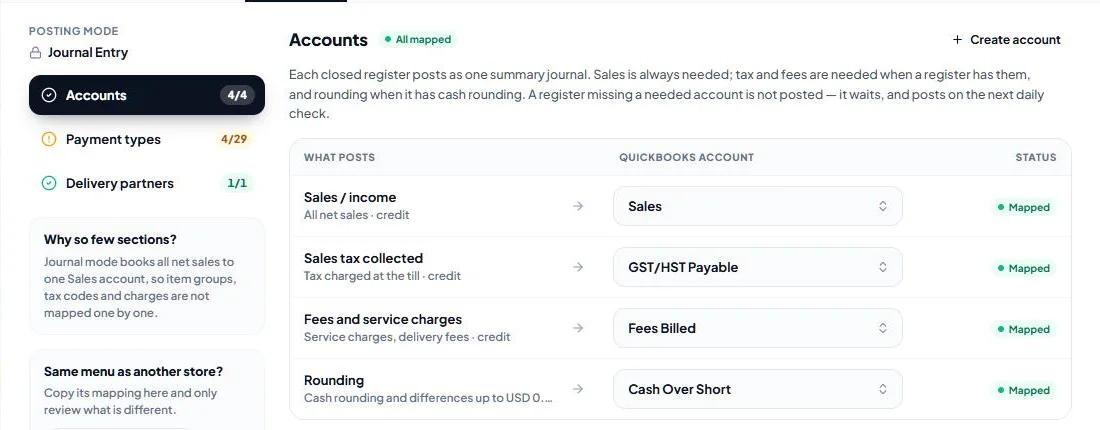
Choose the QuickBooks account for each line:
- Sales / income — always needed. An income account.
- Sales tax collected — needed when a register charged tax. Usually an Other Current Liability account such as "GST/HST Payable" or "Sales Tax Payable".
- Fees and service charges — needed when a register has charges.
- Rounding (recommended) — needed when a register has cash rounding or a difference of a few cents. Without it, such a register waits until Rounding is mapped.
Create account creates an account in QuickBooks without leaving LithosPOS.
Preview
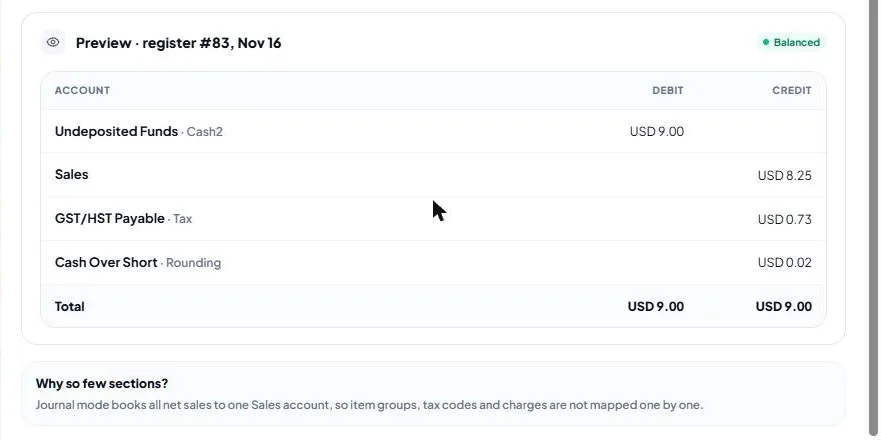
Under the accounts, Preview shows what the store's latest closed register would post with the saved accounts: one row per account with its debit or credit, the totals, and Balanced or the reason it would not post. Save your changes to see them in the preview.
Payment types
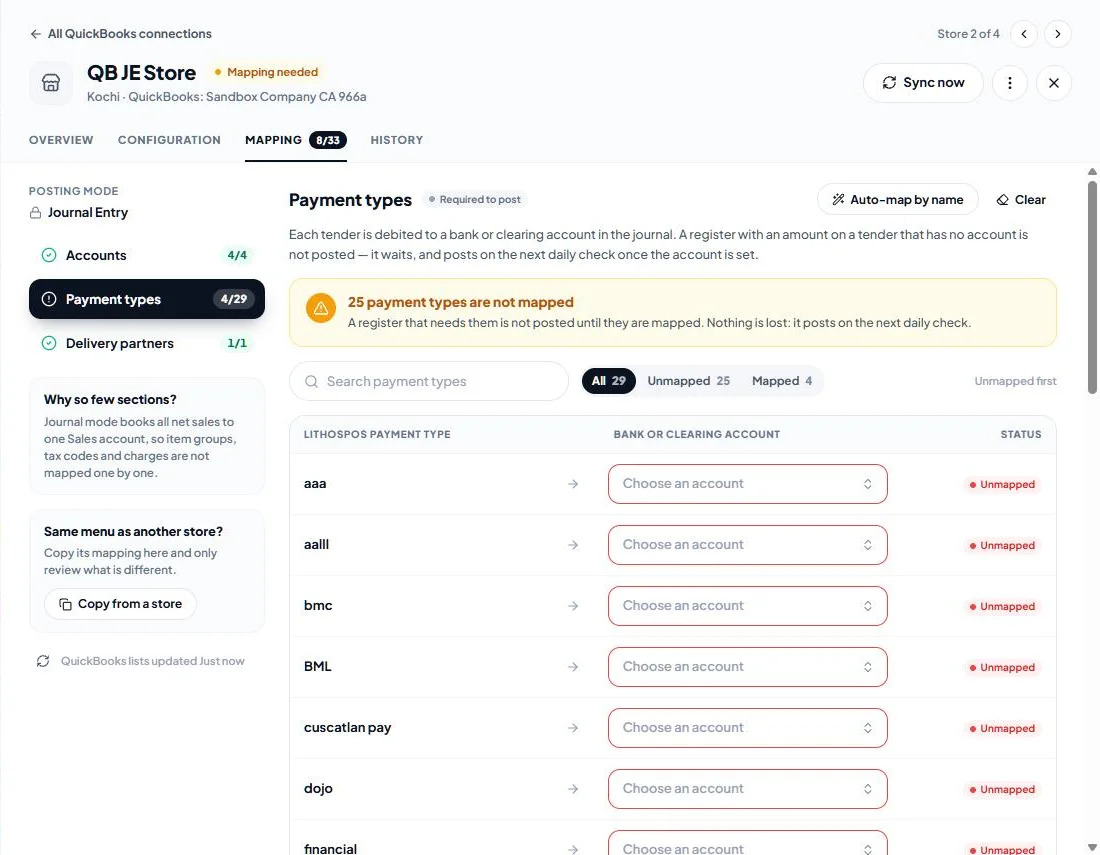
Choose the bank or clearing account each payment type is debited to, for example a cash clearing account for cash and a card clearing account for card payments. Gift card redemptions are a payment type too: point them at your gift-card liability account. A register with an amount on a payment type that has no account waits until the account is set.
Delivery partners
Choose the account the payments taken on each delivery partner, such as Uber Eats or DoorDash, are debited to, for example a receivable account for that partner.
What journal mode cannot post
Journal Entry mode has no account for:
- tips,
- gift vouchers sold,
- card surcharges,
- on-account sales (the part of a sale no payment covered).
A register with any of them is held with Journal mode cannot post this register, naming what it found. It is not posted with that money left out. If the store takes tips, sells gift vouchers or sells on account, use Sales Receipt mode instead: the posting mode can only be changed by removing the store and setting it up again.
What it looks like in QuickBooks
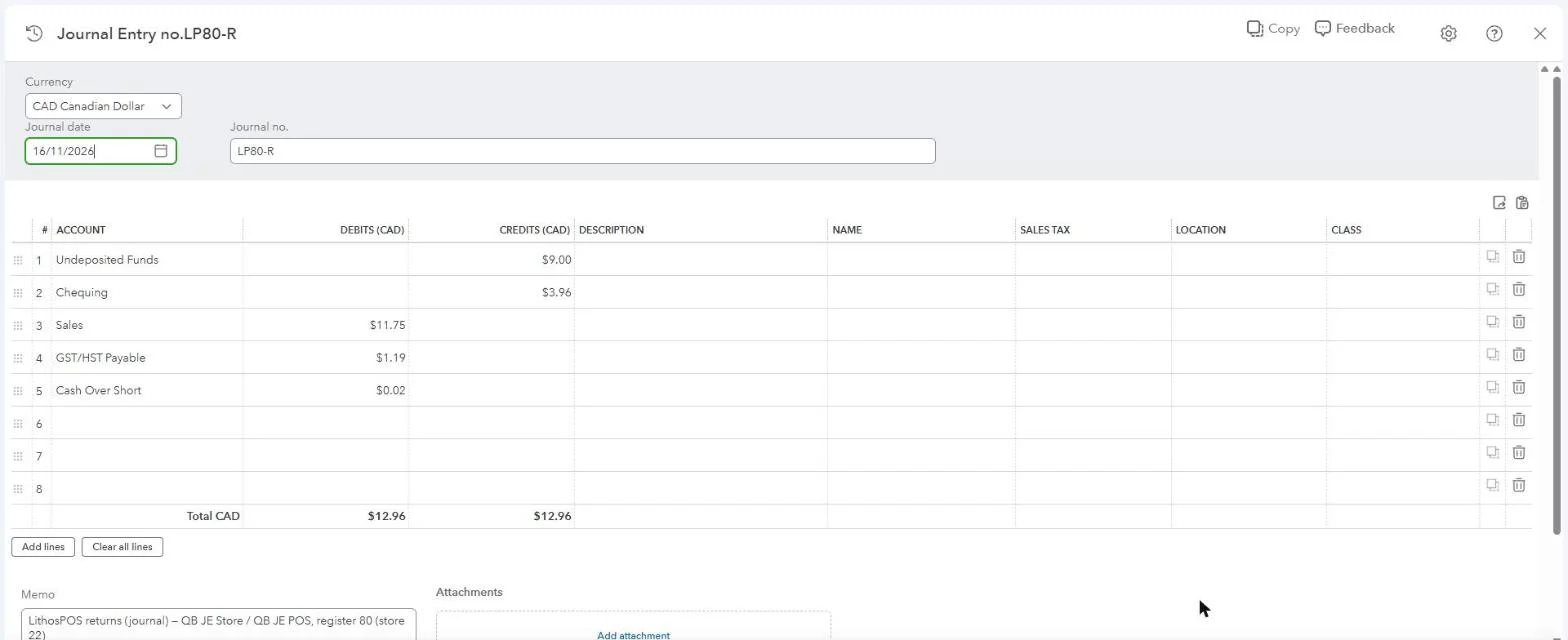
In QuickBooks the register is one journal entry, numbered LP<register>-S and dated with the register's business date. The payment types are on the debit side (here Undeposited Funds for cash and Chequing for card), and Sales, the tax payable, fees and rounding are on the credit side. Debits and credits are equal. The memo names the store, terminal and register.
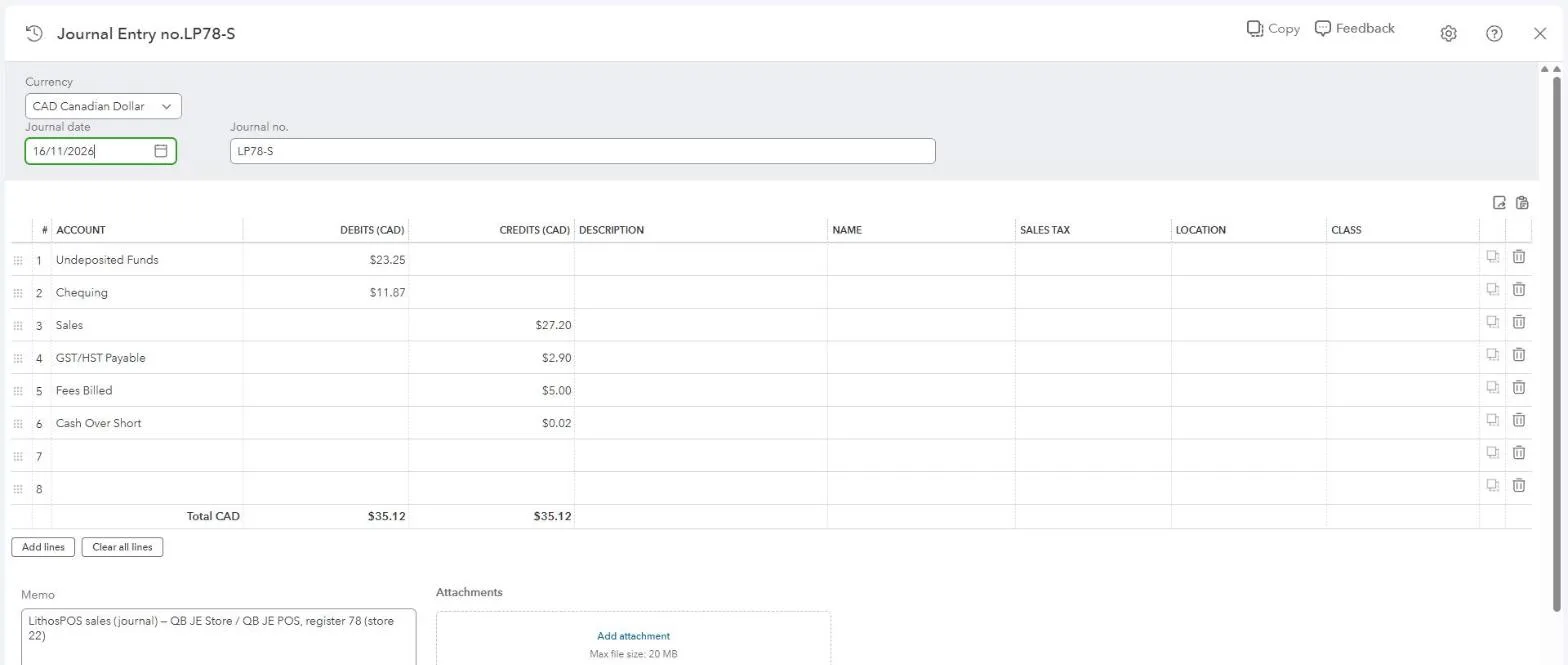
The register's returns are a second journal entry, numbered LP<register>-R, with every line on the opposite side: Sales, the tax payable and the return rounding are debited, and the money refunded is credited to each payment type's account (here cash from Undeposited Funds and the debit card refund from Chequing).
Check the postings
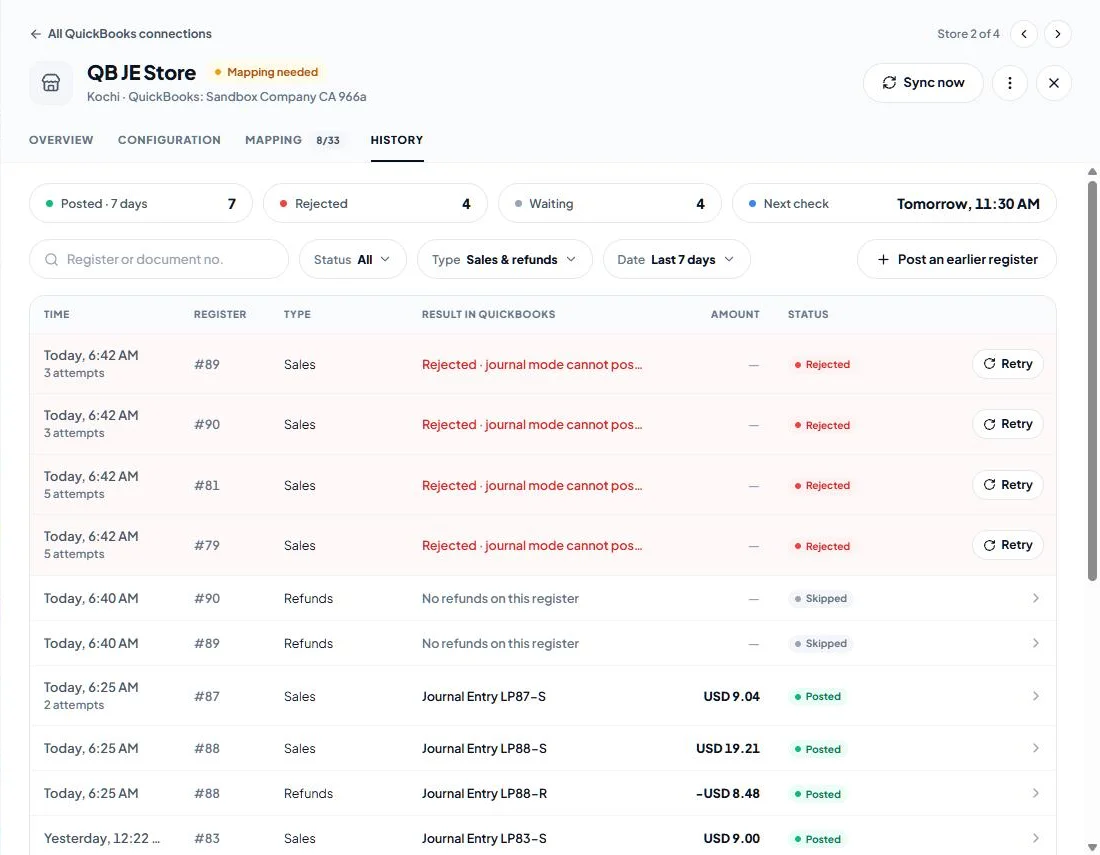
The store's History lists each register's journals, such as Journal Entry LP78-S, with the amount and the status. Click a row to compare the POS total with what QuickBooks recorded and to open the journal in QuickBooks.
See QuickBooks posting history and fixes for every status and rejection reason.
Was this article helpful?