
Menu Management in LithosPOS
Create and manage multiple menus, assign them to different stores and sales channels, and customize the items displayed for customers.
Updated
Menu Management allows you to create and manage multiple menus, add items easily, and assign different menus to different stores, terminals, kiosks, and online or offline channels. This helps you customize what customers see on each platform based on your business needs.
Configure Mulitimenu in LithosPOS Back Office
Step-by-step Instructions:
Login to the Back Office
- Go to my.lithospos.com and log in to the Back Office (BO).
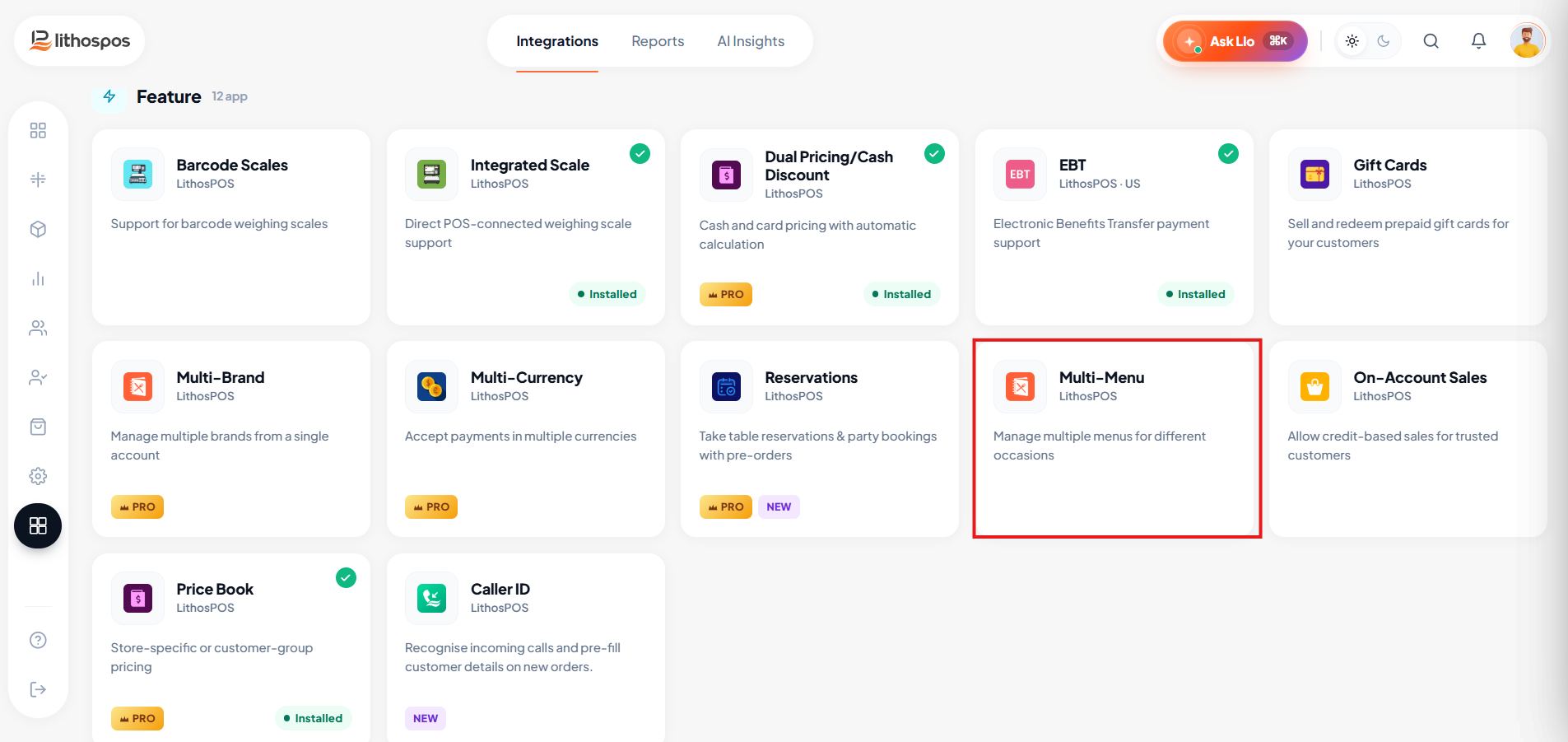
- Start by navigating to the Integrations section.
Install Multi Menu
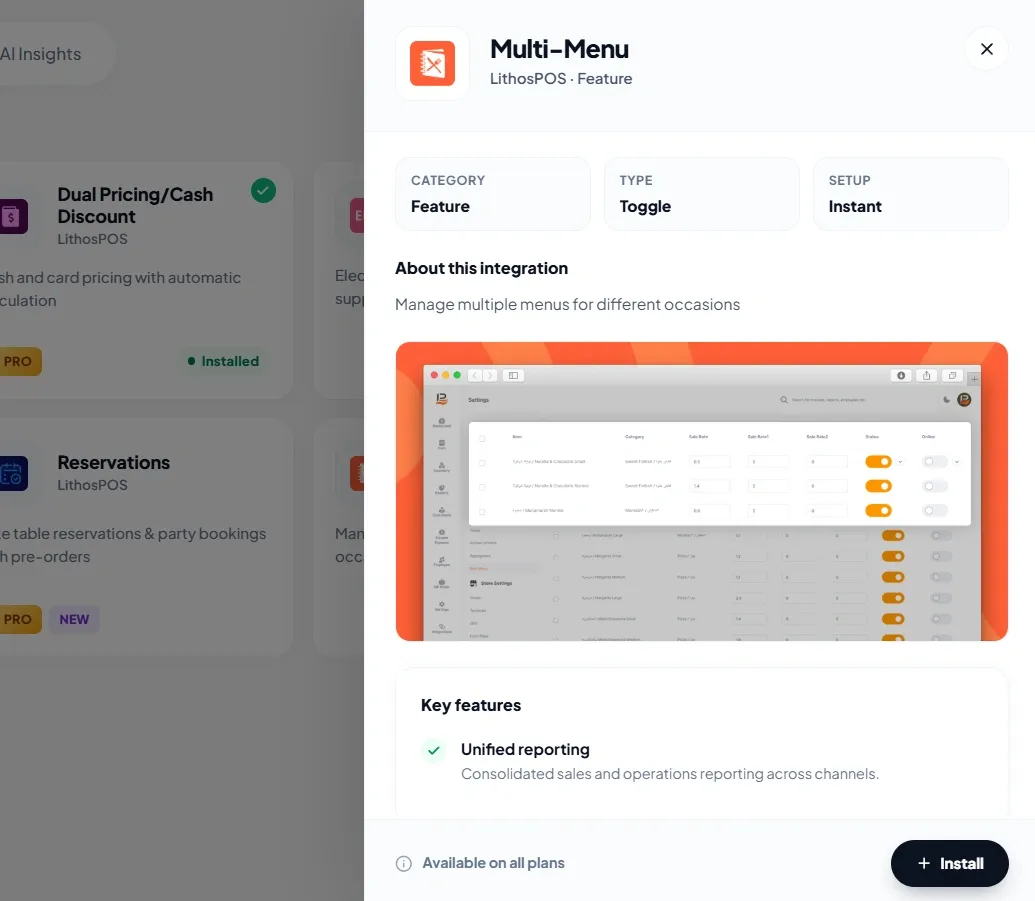
- Click on Multi Menu and click Install Now
- The app is installed
Add New Menu
- Click on Item on the side bar > click on Menus
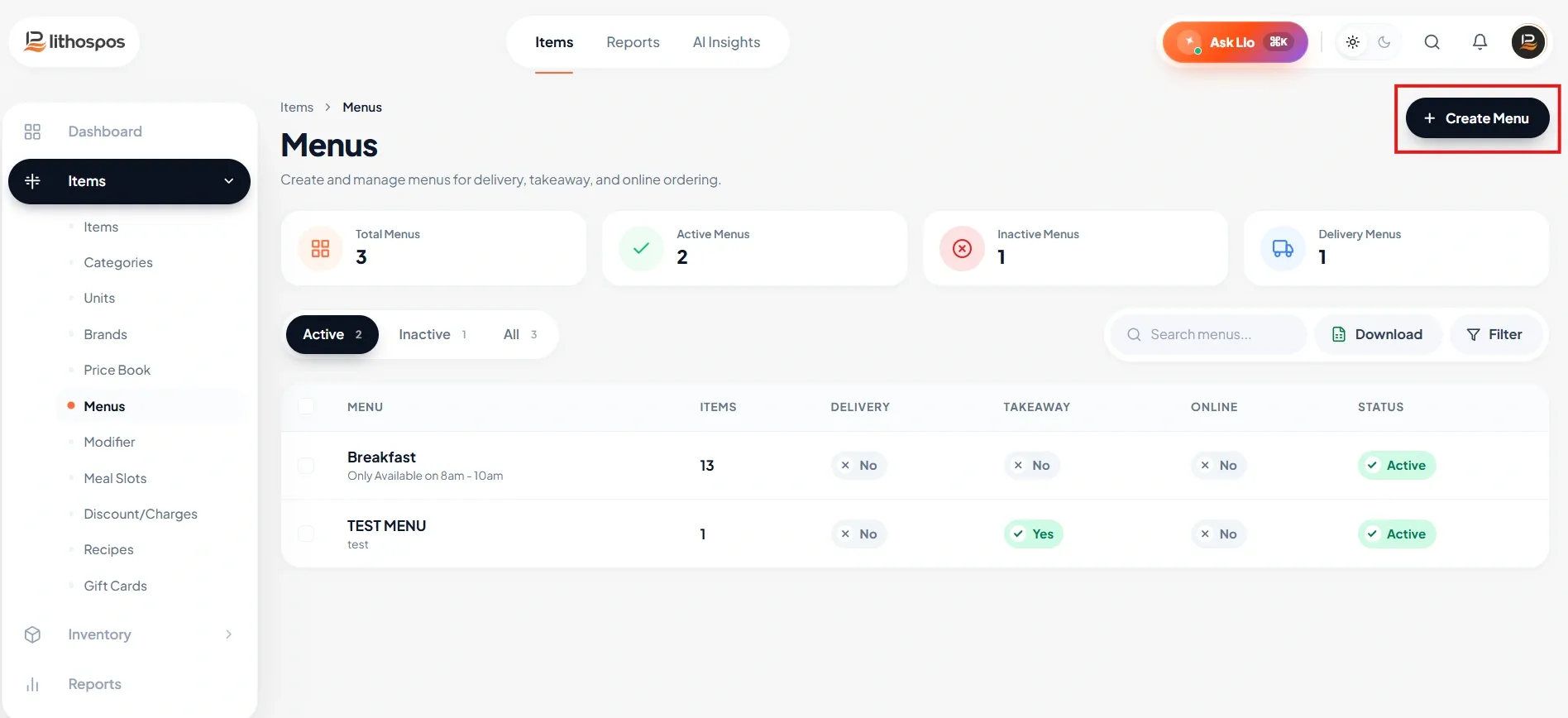
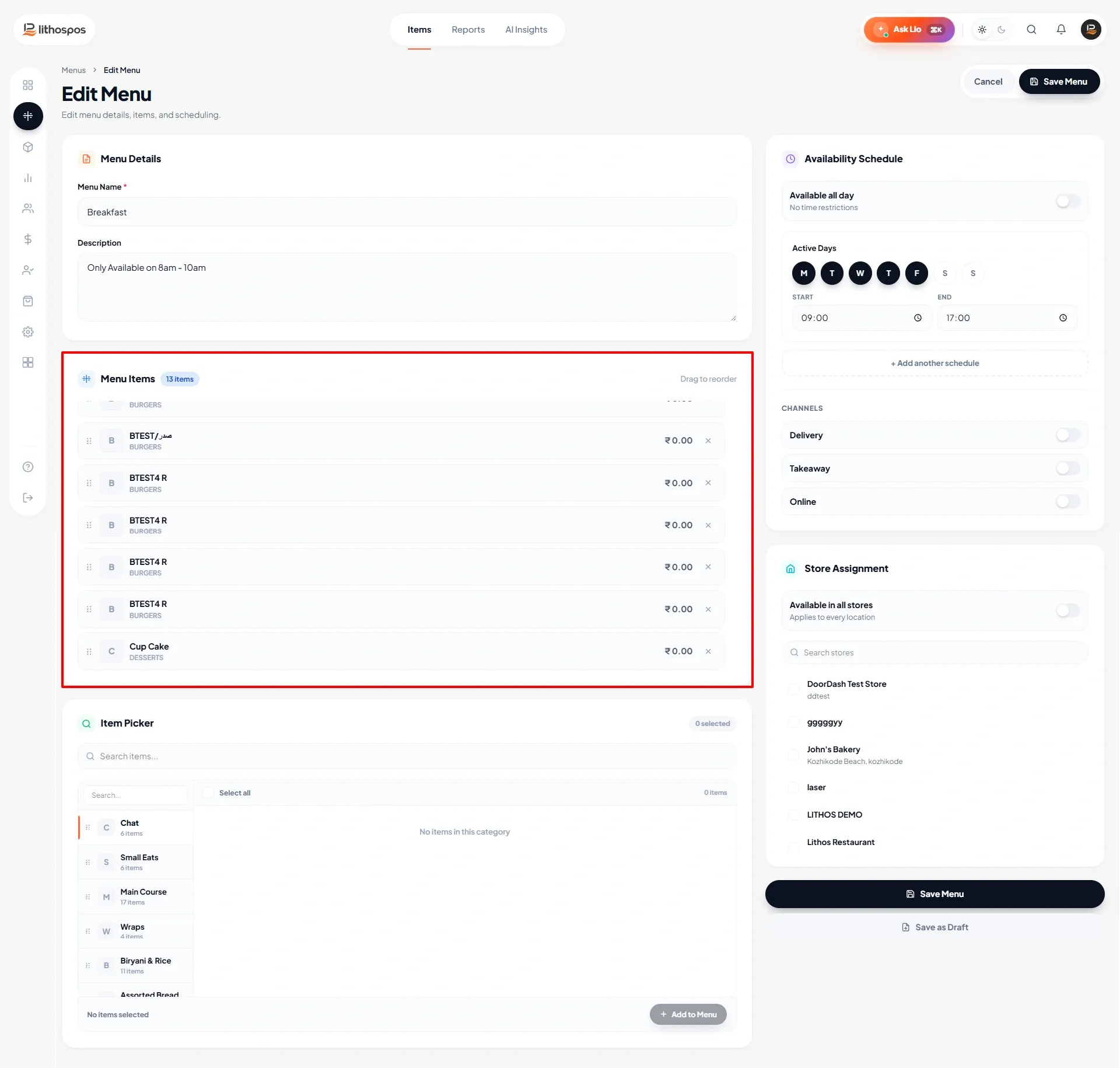
- Then, click “+ Menu Add”. This will open the Menu Management window, where you can create different menus, add items to each menu, and assign them to specific stores.
- Then, enter the menu name and details, set the opening hours, select the stores, and click Save. Your menu will now be created.
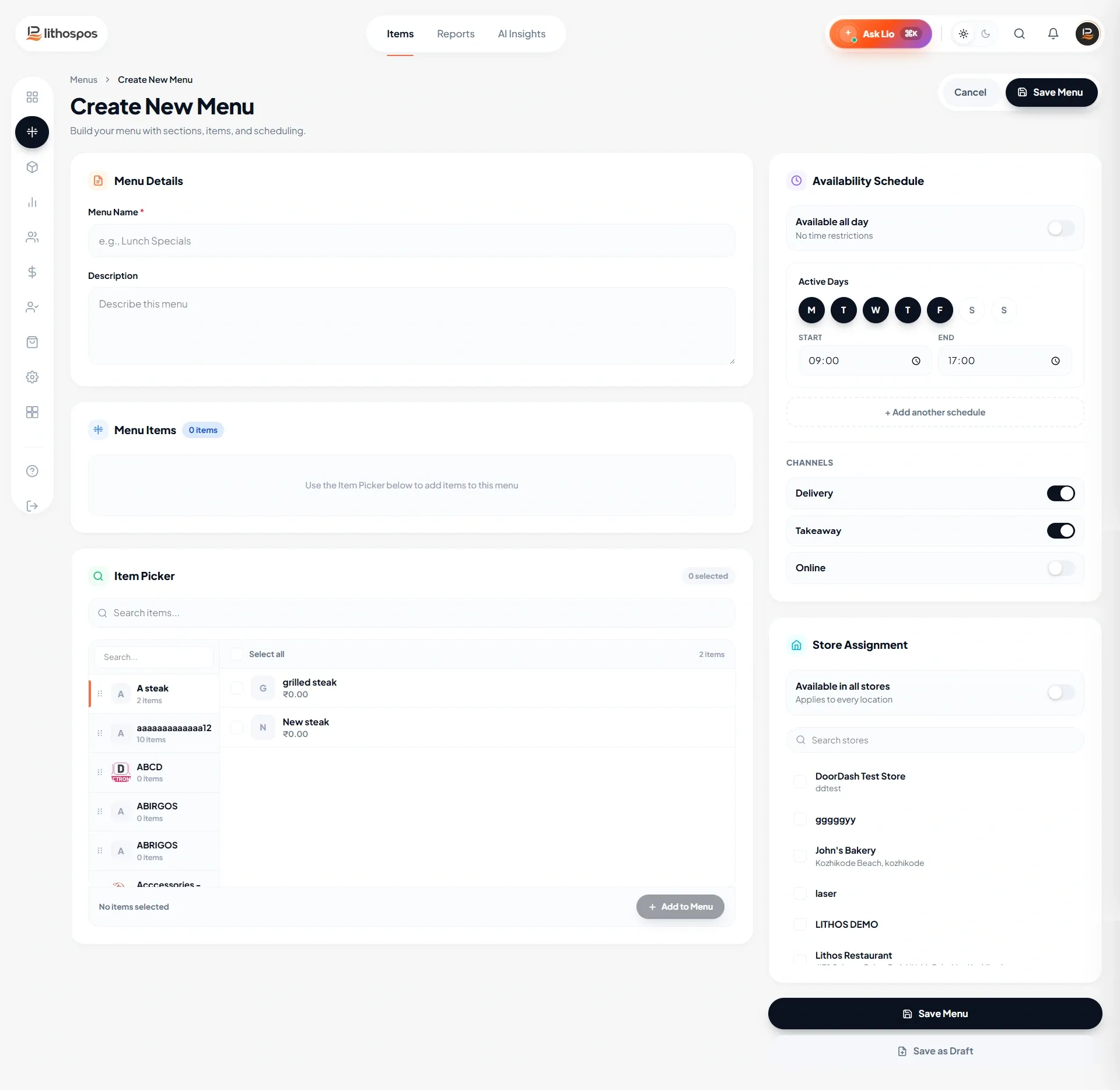
- Select the categories and items you want to add to this menu and click Save to submit.
Connect with us to know more
To learn more about it feel free to book a meeting with our team
Was this article helpful?