
Terminals
Manage and configure your POS terminals, including countertop devices, tablets, iPads, handheld devices, and mobile terminals, with each terminal linked to a specific store for processing sales.
A terminal represents a physical point of sale where transactions occur. This could be a countertop device, iPad, Tablet, handheld device or even a mobile terminal. In LithosPOS, each terminal is linked to a specific store and acts as a unique point for processing sales.
The terminal settings allow you to configure various aspects of each terminals operates within your business.
Terminal Settings
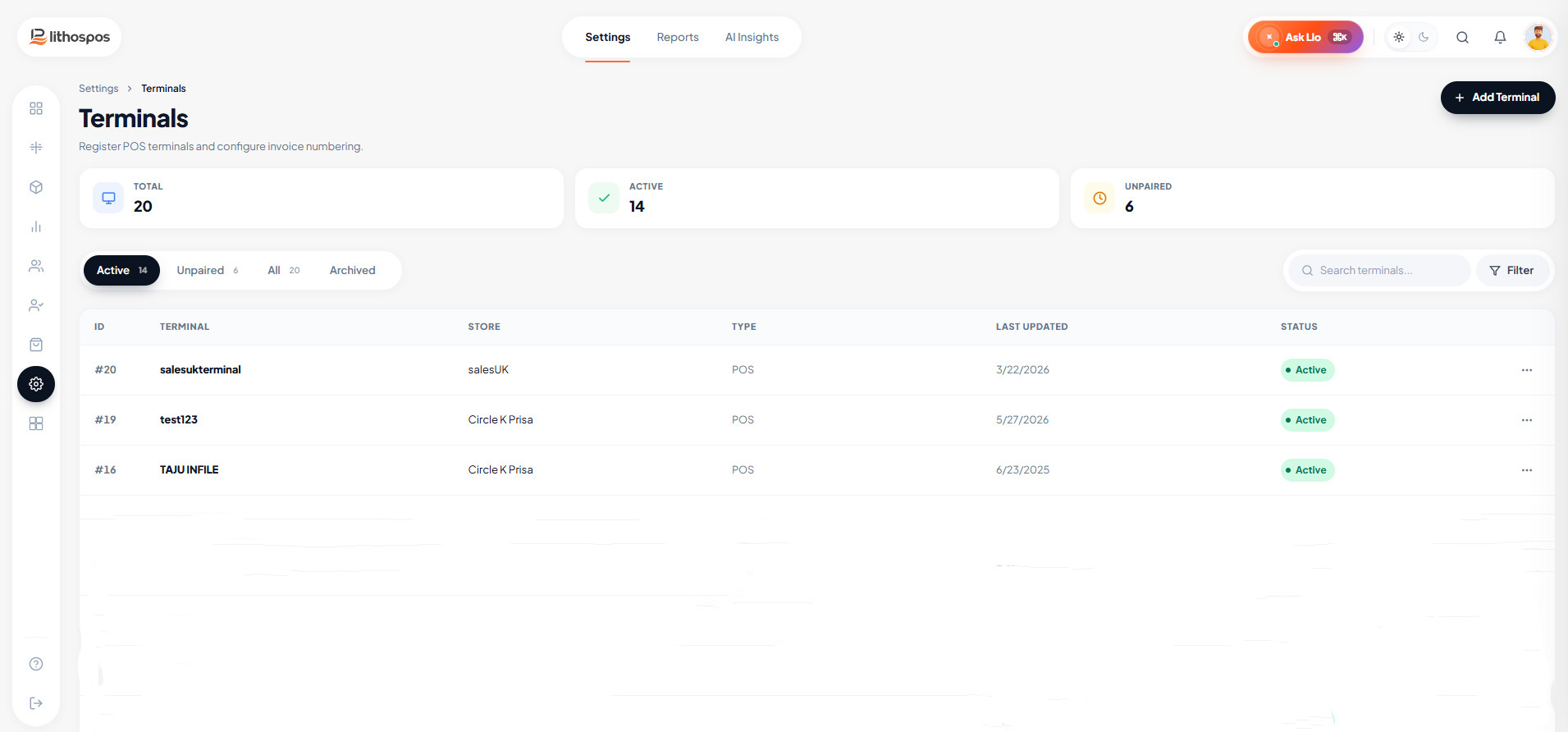
To set up a terminal in a new account
Go to settings and click on the Terminals
Here, you can see a default terminal based on the details you provided during the initial setup. You can open it and edit the details or configure various options.
Adding a new Terminal
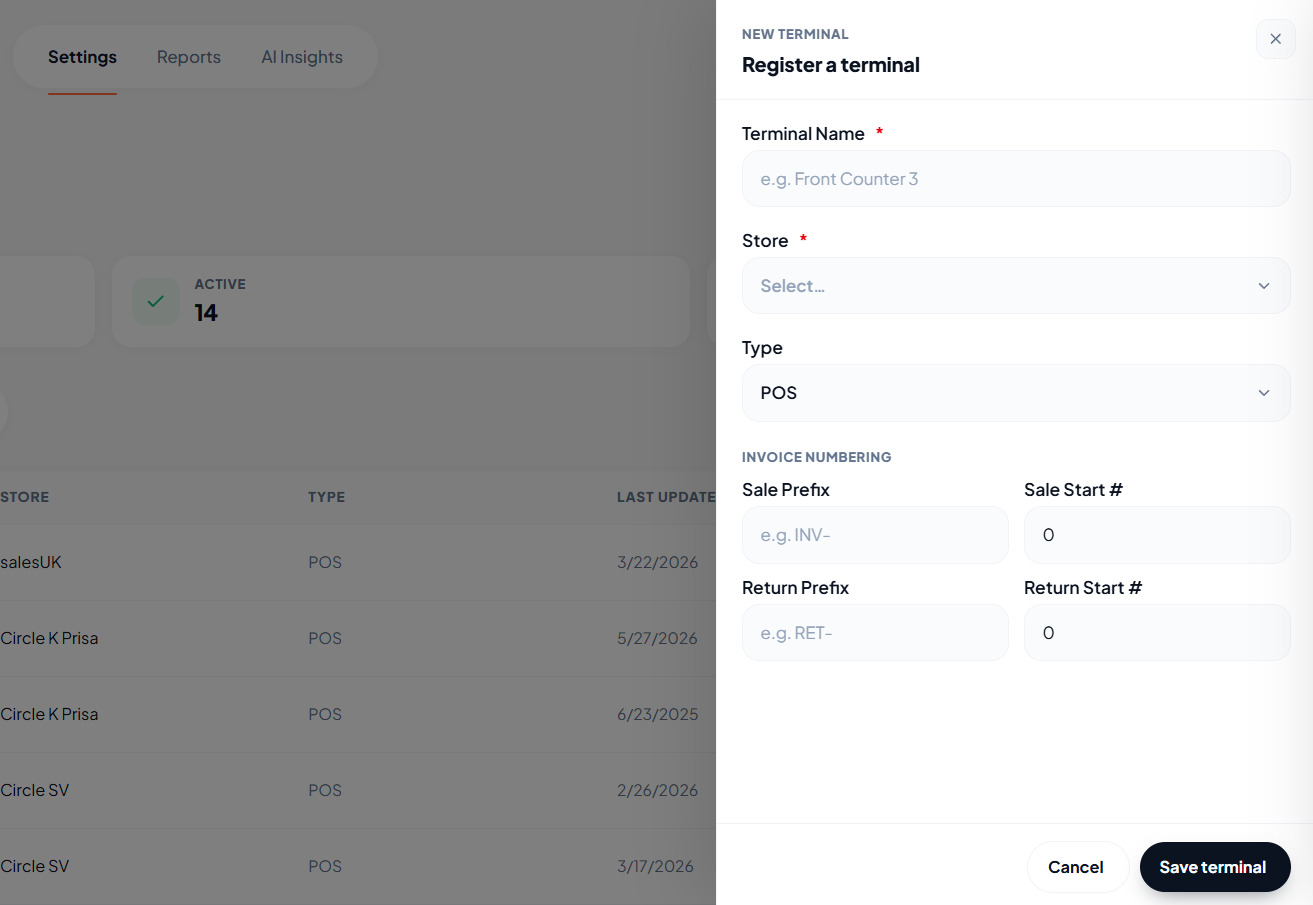
To process transactions across multiple devices, you'll need to create additional terminals within the terminal settings. Repeat the setup process for each new terminal.
- Go to terminals
- Click on the ‘Add Terminal’ button and fill in the details.
- Give a terminal name
- Select the store to which this terminal belongs [This option is only visible if you manage multiple stores in your account.]
- Enter a Sales prefix letter. [Maximum 10 letters]
- Enter a starting number for the invoice. This will be the initial invoice number for your terminal.
- Select the type from the dropdown menu: Kiosk or POS.
- Similarly, enter the Sales Return prefix letter. [Maximum 10 letters]
- Similarly enter a starting number for the sales return.
- Finally, click the Submit to save the terminal.
Connect with us to know more
To learn more about it feel free to book a meeting with our team
Was this article helpful?