
Stock Movements
Track and monitor inventory movements across stores, including sales, returns, purchases, and purchase returns.
LTLithosPOS TeamUpdated
The Stock Movement feature in LithosPOS is essential for accurately tracking and monitoring the flow of inventory. This tool provides comprehensive insights into how stock is moving across your stores, including details on sales, sales returns, purchases, and purchase returns.
Key Benefits
- Detailed Tracking: Monitor the number of items, sales, sales returns, purchases, and purchase returns.
- Comprehensive Overview: View stock movement for each individual store or combine data across all stores for a holistic perspective.
- Advanced Filtering: Search and filter data by item type, category, store, and date range to gain deeper insights into inventory and sales patterns.
- Data Export: Download detailed reports in Excel format for offline analysis, helping you adapt inventory and sales strategies effectively.
How to Use the Stock Movement Feature
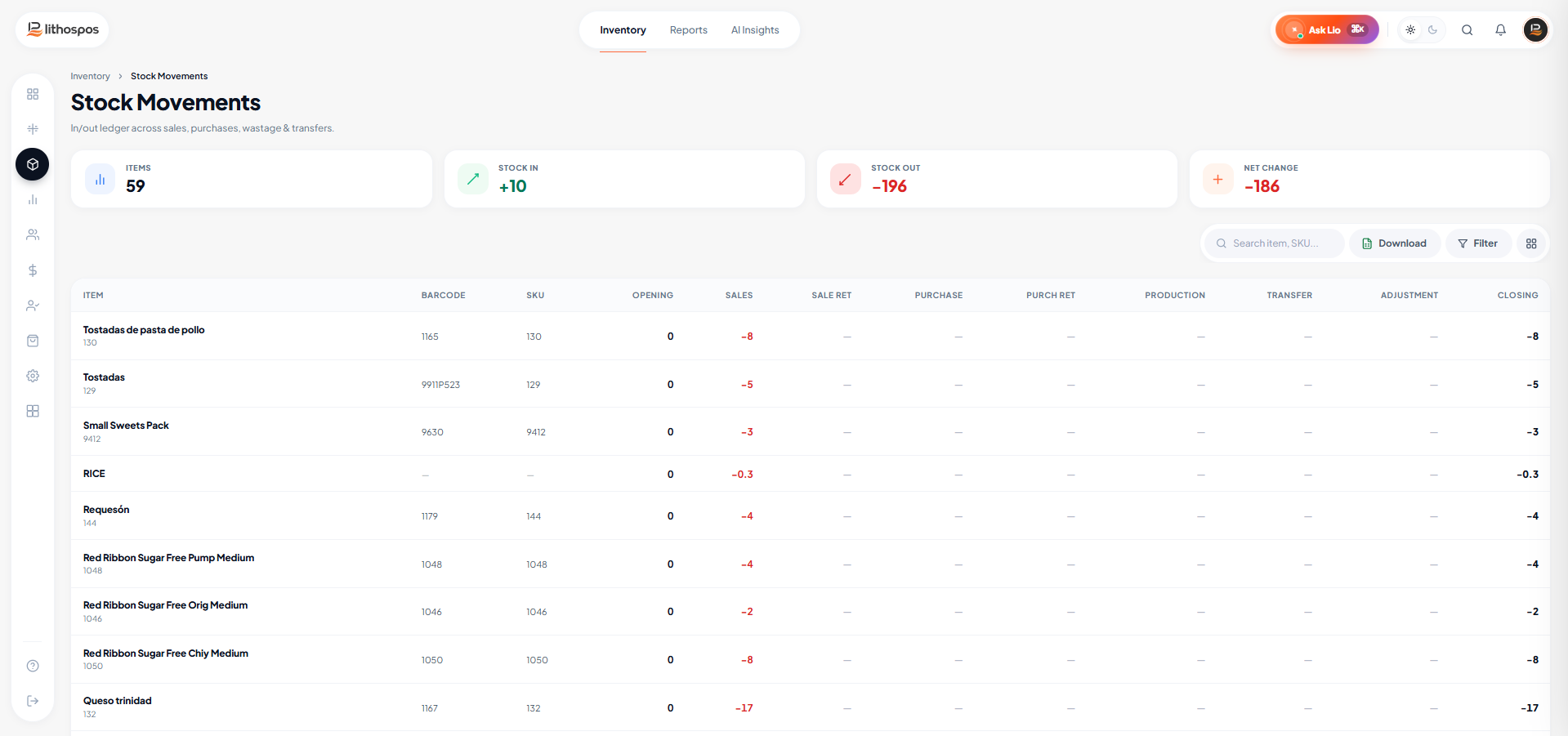
Accessing Stock Movement
- Log in to the Back office.
- Navigate to the Inventory section.
- Click on Stock Movement.
Viewing Stock Details
- The interface will display stock movement details for your stores, including number of items, sales, sales returns, purchases, and purchase returns
Filtering and Downloading
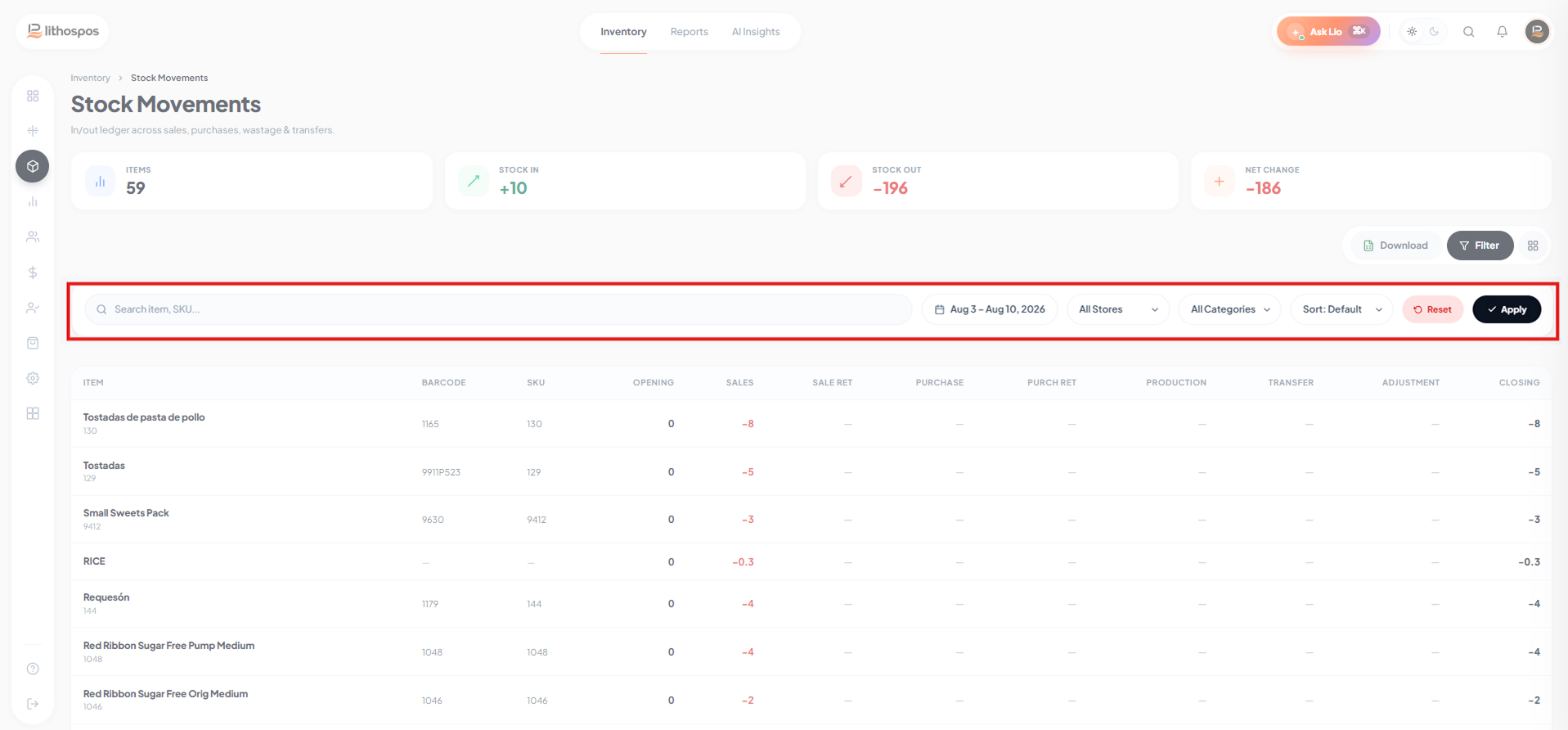
-
Use the filter icon to refine your search with various criteria:
Category: View stock movement by product category.
Store: Check stock movement details for individual stores or across all stores.
Date Range: Specify a date range to analyze stock movement over a particular period. - After applying your filters and selecting the desired date range and stores, click on Download.
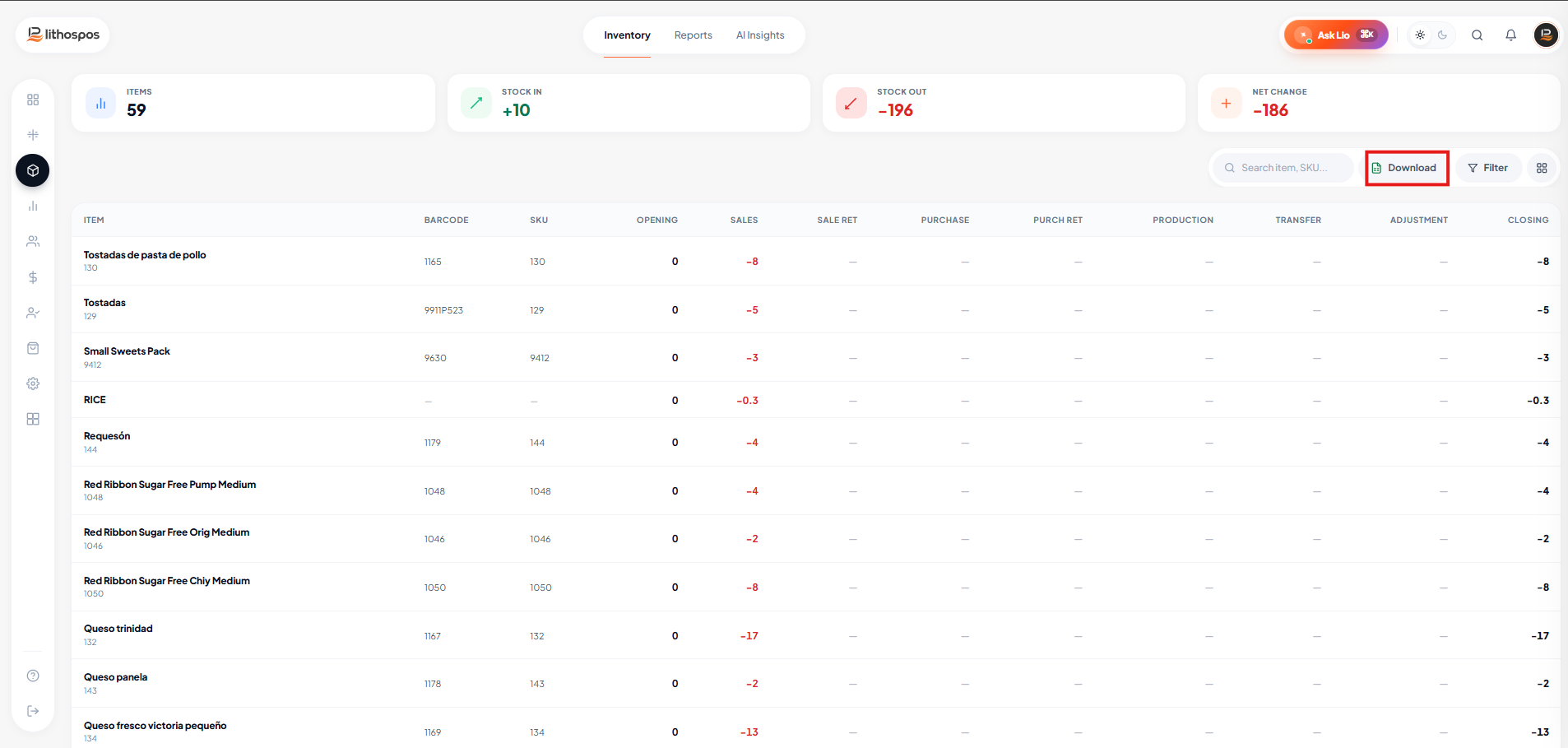
- The data will be exported in Excel format and saved to your device, allowing for easy offline access and detailed analysis..
Connect with us to know more
To learn more about it feel free to book a meeting with our team
Was this article helpful?