
LithosPOS Delivery App
The LithosPOS Delivery App is a powerful tool designed to streamline your delivery operations.
Seamlessly integrated with the LithosPOS system, it offers a comprehensive suite of features to enhance efficiency and provide a superior customer experience. This can be connected to POS and assign the delivery boys to deliver the orders.
- Order Management:
Efficiently manage orders from receipt to delivery, ensuring accuracy and timely processing. - Real-time Tracking:
Monitor the progress of orders in real-time, providing customers with updates on their deliveries. - Secure Payments:
Offer a variety of secure payment options, including online payments, to reduce friction and increase customer satisfaction. - Optimized Delivery Routes:
Effortlessly assign delivery personnel to orders based on their location and availability, optimizing routes for efficient delivery. - User-Friendly Interface:
Enjoy an intuitive and easy-to-use interface that simplifies
By utilizing the LithosPOS Delivery App, you can transform your delivery operations, improve customer satisfaction, and enhance your business's overall efficiency.
How to Connect the Delivery App with LithosPOS.
You have to install the delivery app in the backoffice.
Install the Delivery App
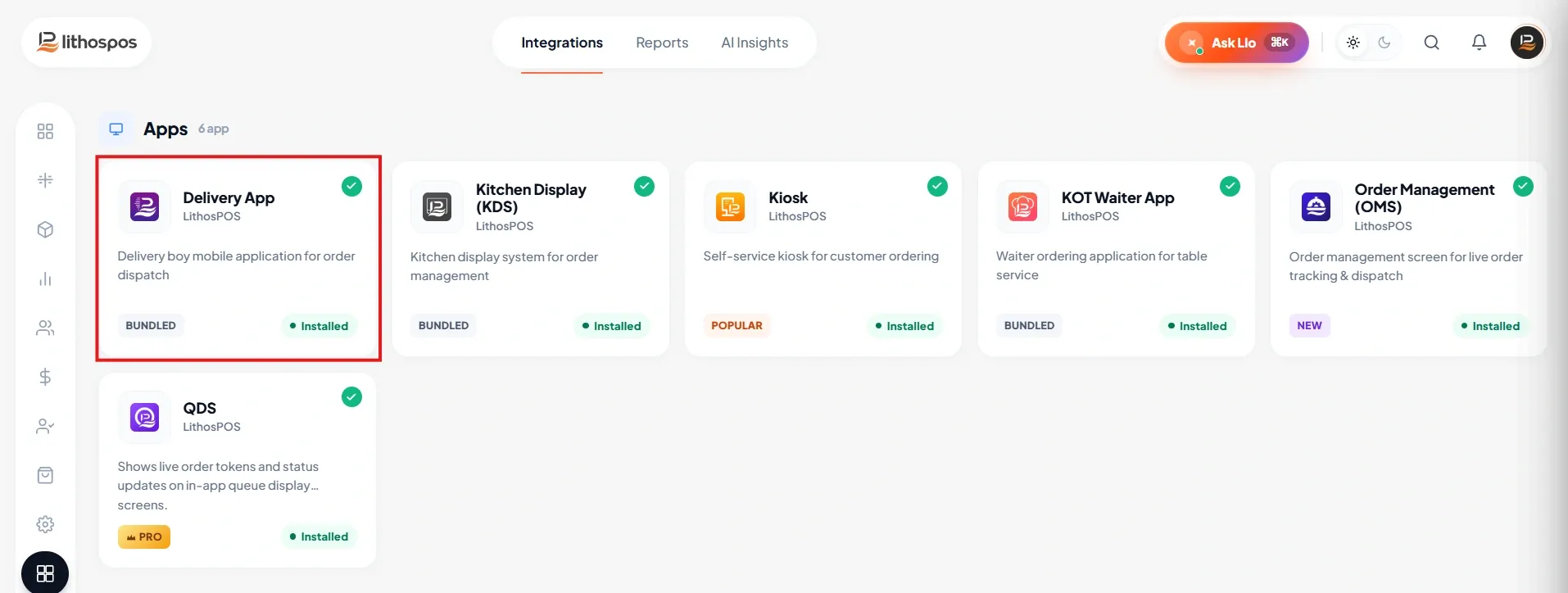
- Go to the Backoffice and click on "Integrations" in the side menu.
- Select "Delivery App" and click on it to install.
- Add a Delivery Boy and Conncet Delivery App WIth POS
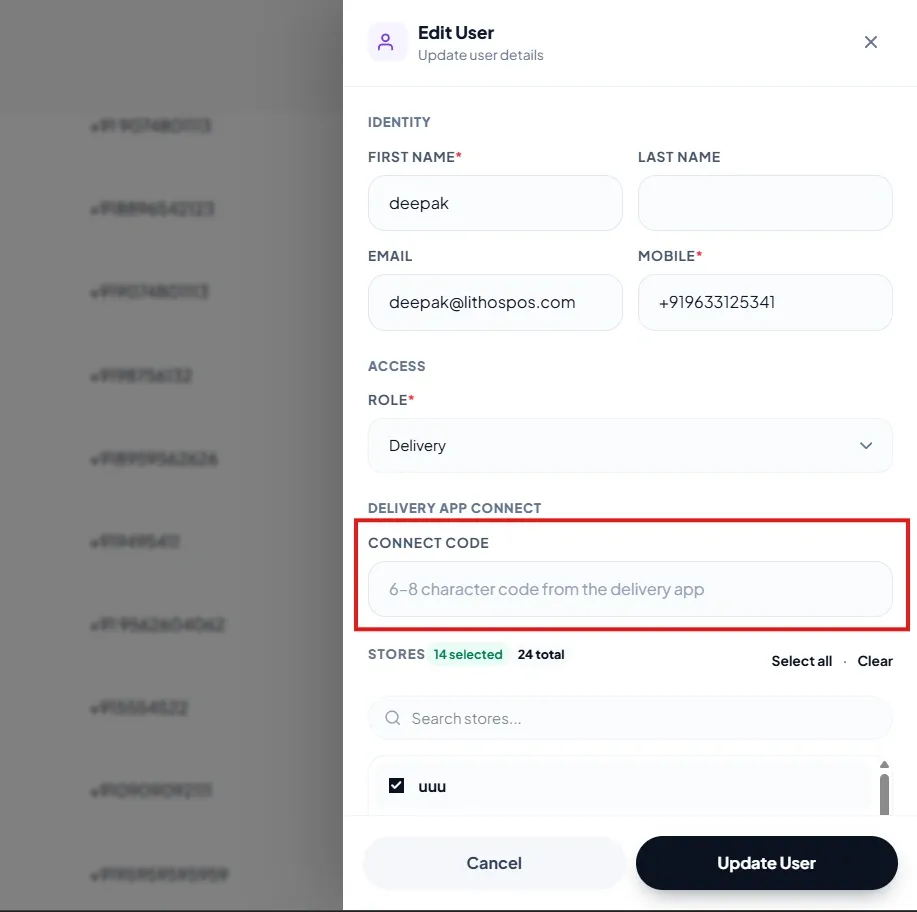
Enter Connect Code
- An additional column named "Delivery App Connect" will appear.
- Enter the Connect Code from the delivery app (which you'll find after installing it on a mobile device).
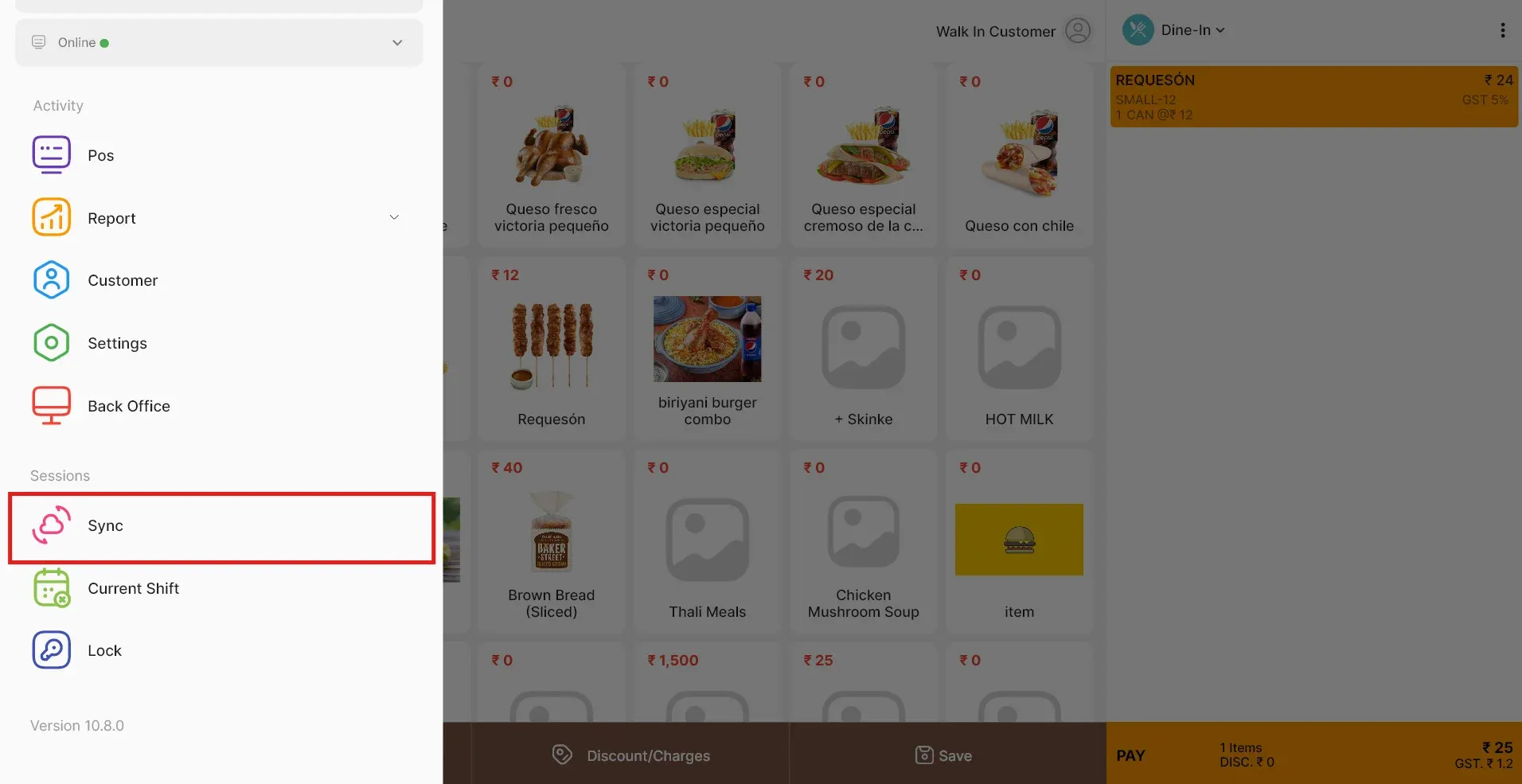
Synchronize Data
- Go to the POS and synchronize the data.
After completing these steps, you can:
- Assign Delivery Orders: When placing a delivery order in the POS, select the delivery boy you've added.
- Notify Delivery Boy: The delivery boy will receive a notification with order
details, time, and location..
- Deliver Order: The delivery boy can then proceed to deliver the order.
Connect with us to know more
To learn more about it feel free to book a meeting with our team
Was this article helpful?