
Additional Help Docs
The Aggregator Settings allow merchants to sell items at different rates on DoorDash. Merchants can:
Updated
Aggregator Settings – DoorDash
The Aggregator Settings allow merchants to sell items at different rates on DoorDash.
Merchants can:
- Set different prices for aggregator orders
- Decide whether payments are credited to the aggregator account
- Manage multiple rates in Doordash store
How to Configure DoorDash in Back Office.
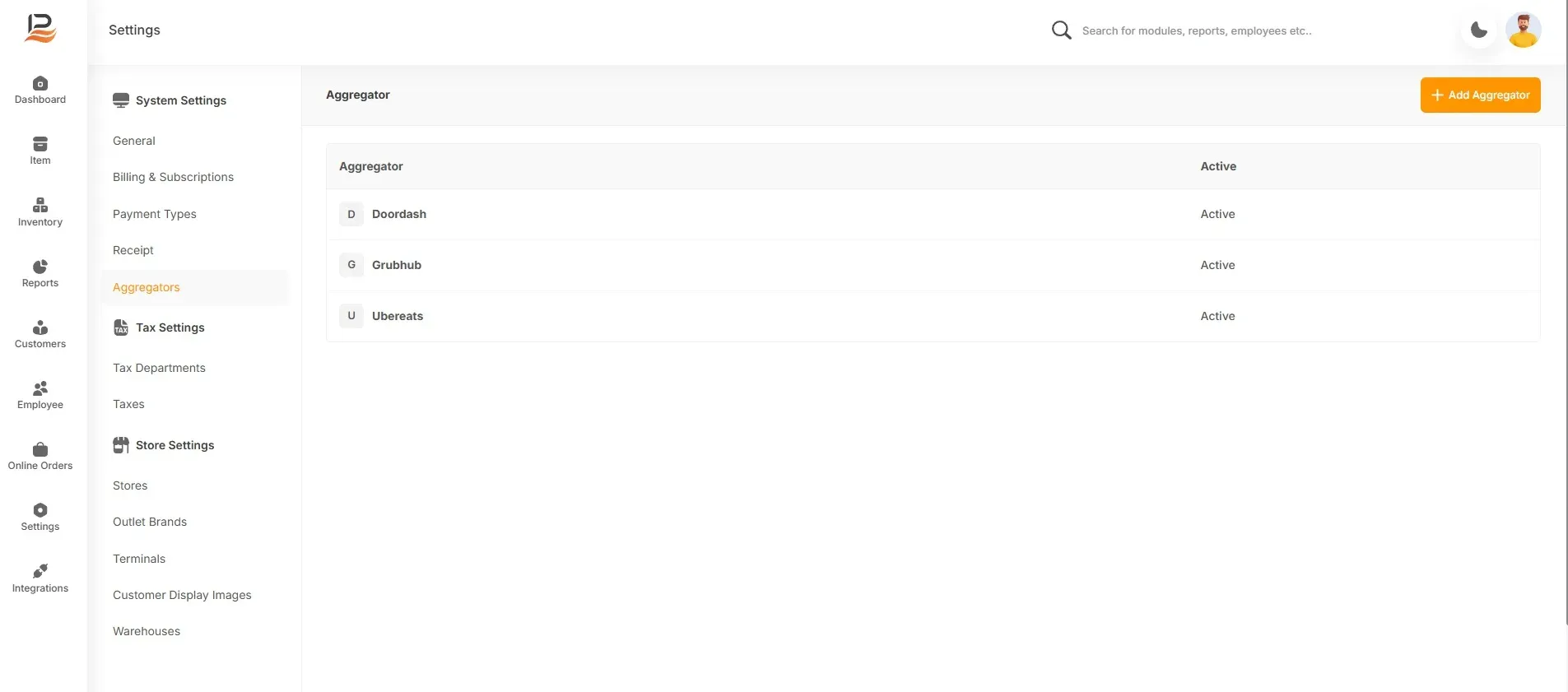
- Go to Back Office (BO)
- Click Settings from the side menu
- Select Aggregators
If DoorDash is Already Added:
- Click on DoorDash
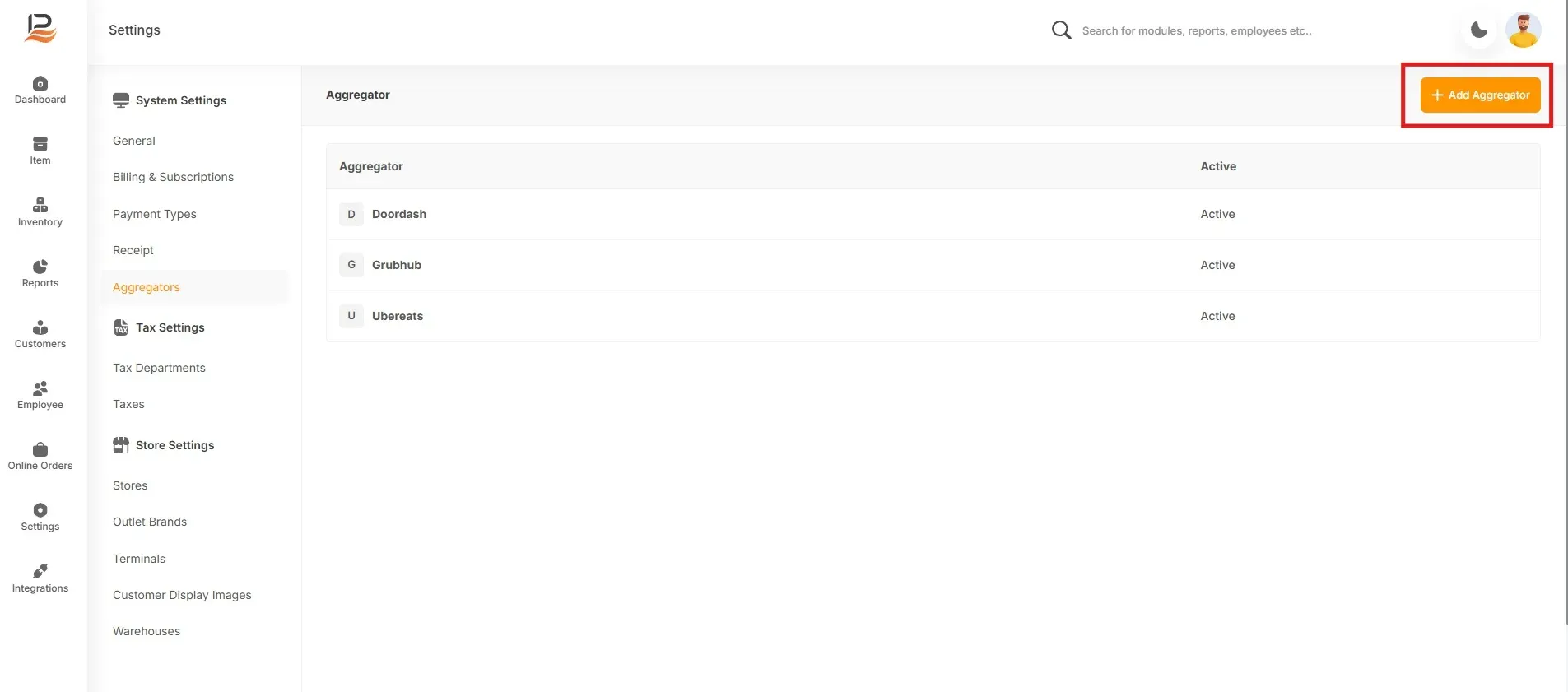
If DoorDash is Not Added:
- Click + Add Aggregator
- Select DoorDash and add it
Configuration Steps
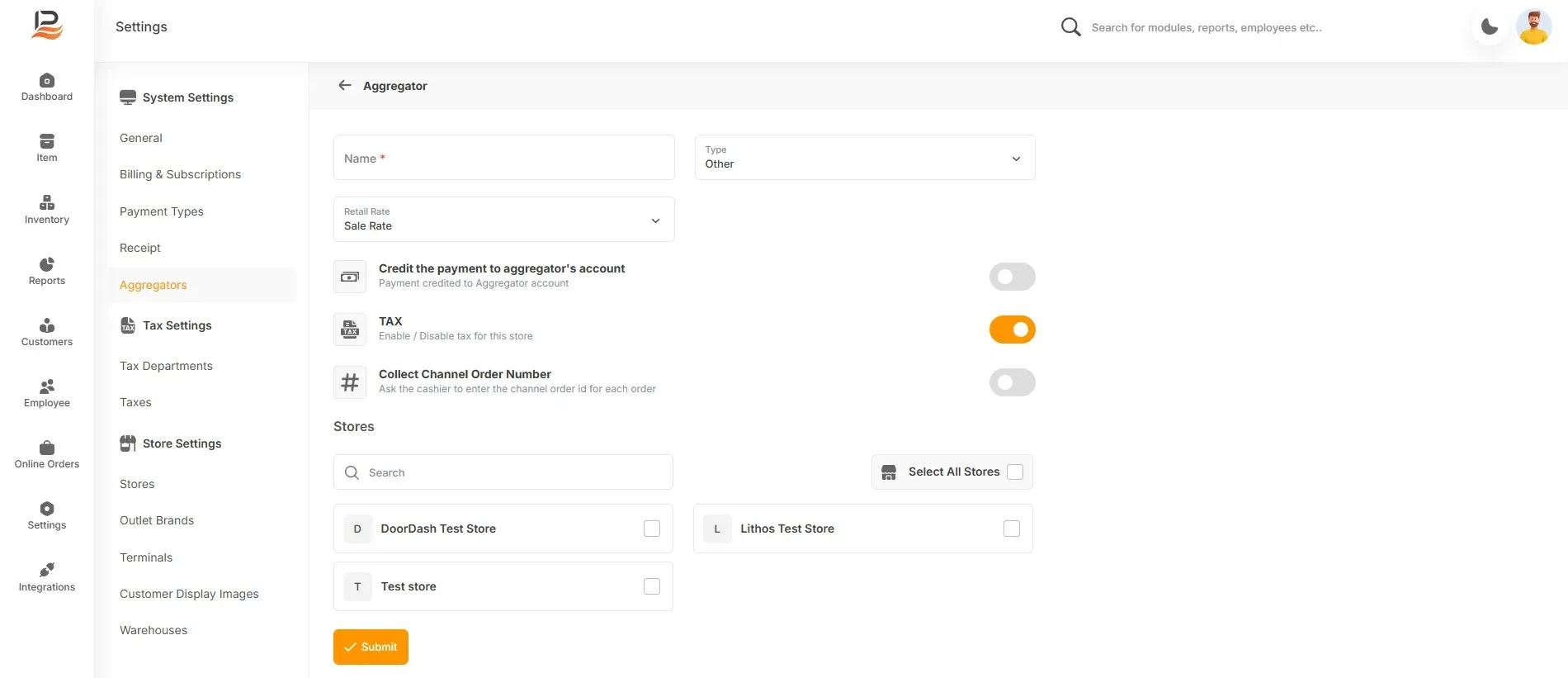
- Enter the Aggregator Name
- elect the Rate you want to use
- Enable or disable the toggle: Credit the payment to aggregator’s account or not
- Enable or disable Tax, if required
- Enter the Channel Order Number ID (for future order tracking and review)
- Select the Store
- Click Submit to save the settings
Connect with us to know more
To learn more about it feel free to book a meeting with our team
Was this article helpful?