
WooCommerce
Set up your store in WooCommerce and synchronize it with LithosPOS to streamline your operations.
Updated
This integration helps you efficiently manage your WooCommerce store while allowing you to accept orders and payments directly into your POS system, ensuring seamless inventory management and sales tracking across both platforms.
Benefits of WooCommerce Integration
- Seamless Inventory Management:
The integration ensures that your inventory is automatically synchronized between WooCommerce and LithosPOS, reducing manual updates and preventing stock discrepancies. - Efficient Order Processing:
Orders placed in WooCommerce are directly added to your LithosPOS system, allowing for faster and more accurate order fulfillment and payment processing. - Unified Sales Tracking:
The integration enables you to track sales data across both your online WooCommerce store and physical POS system, providing comprehensive insights into your overall business performance.
WooCommerce Setting
- Install WooCommerce in Back office
- Go to Back office and select “Integrations”
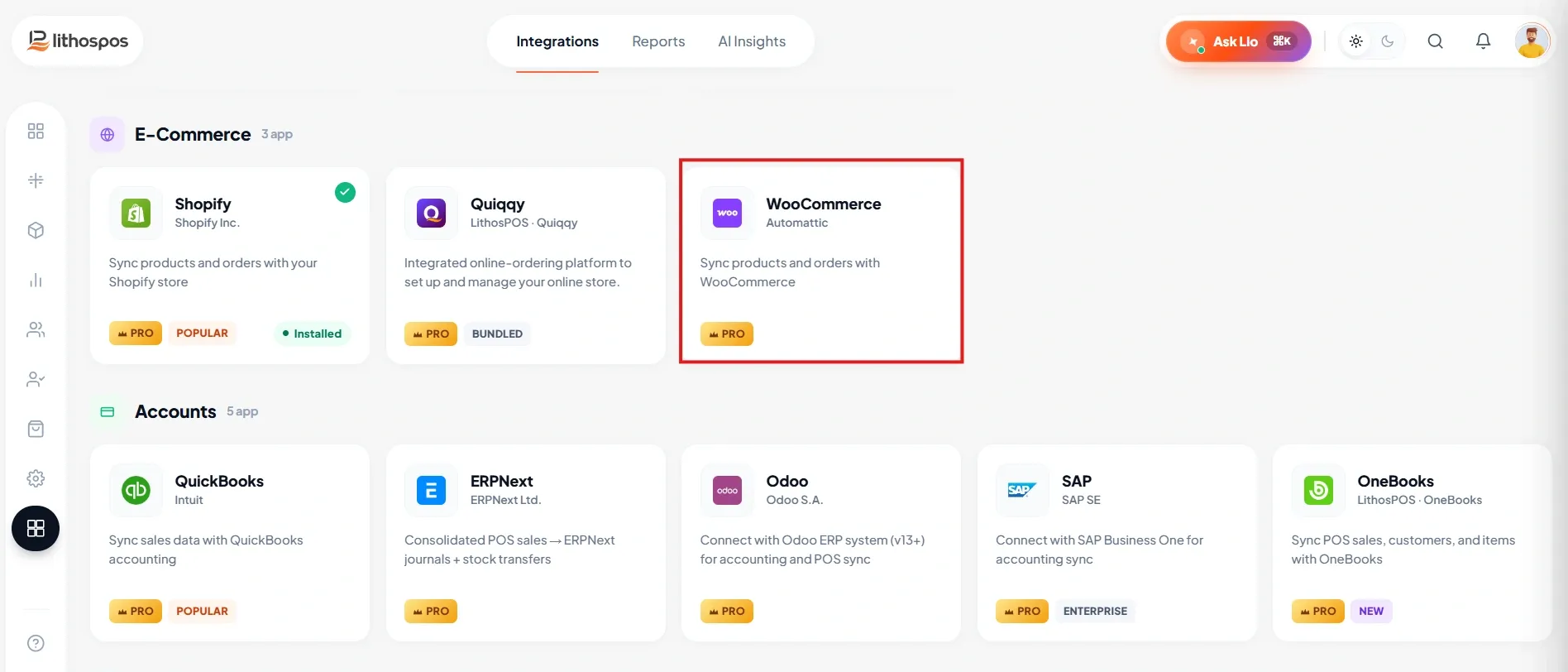
- Click on the WooCommerce app to install the feature.
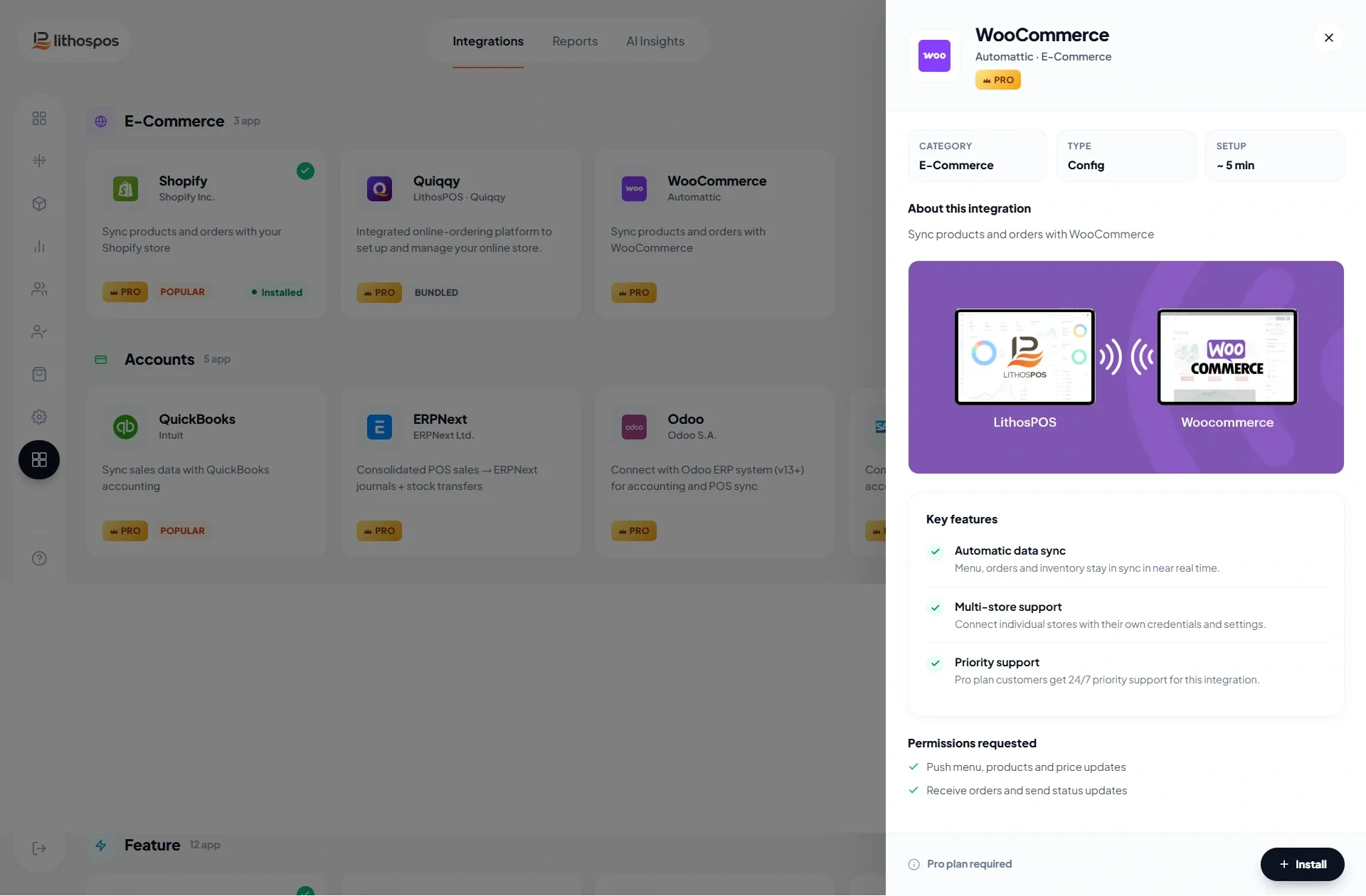
- After installing Click on settings and click “+New Connection”
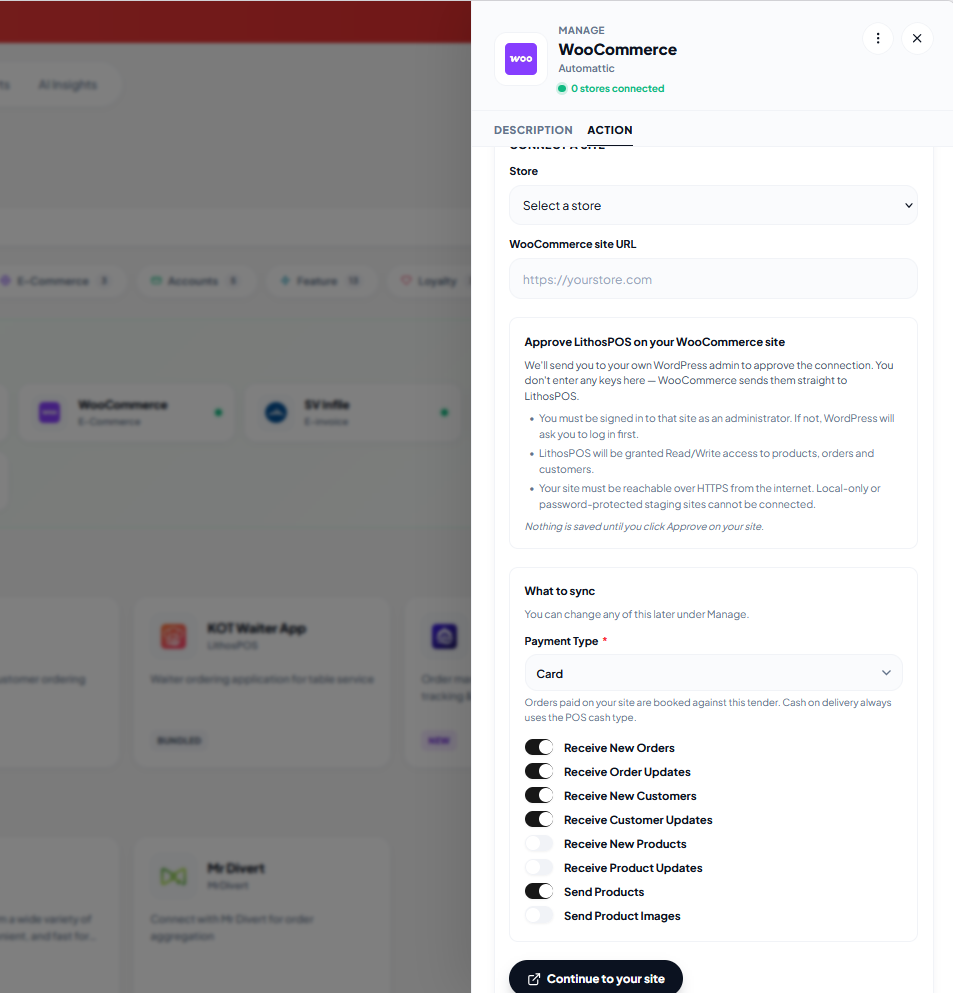
Enter details:
- Select store: Select your store from the list
- URL: Enter the WooCommerce URL
- Payment type: Select the payment type
- Authorize: Continue to your site and approve
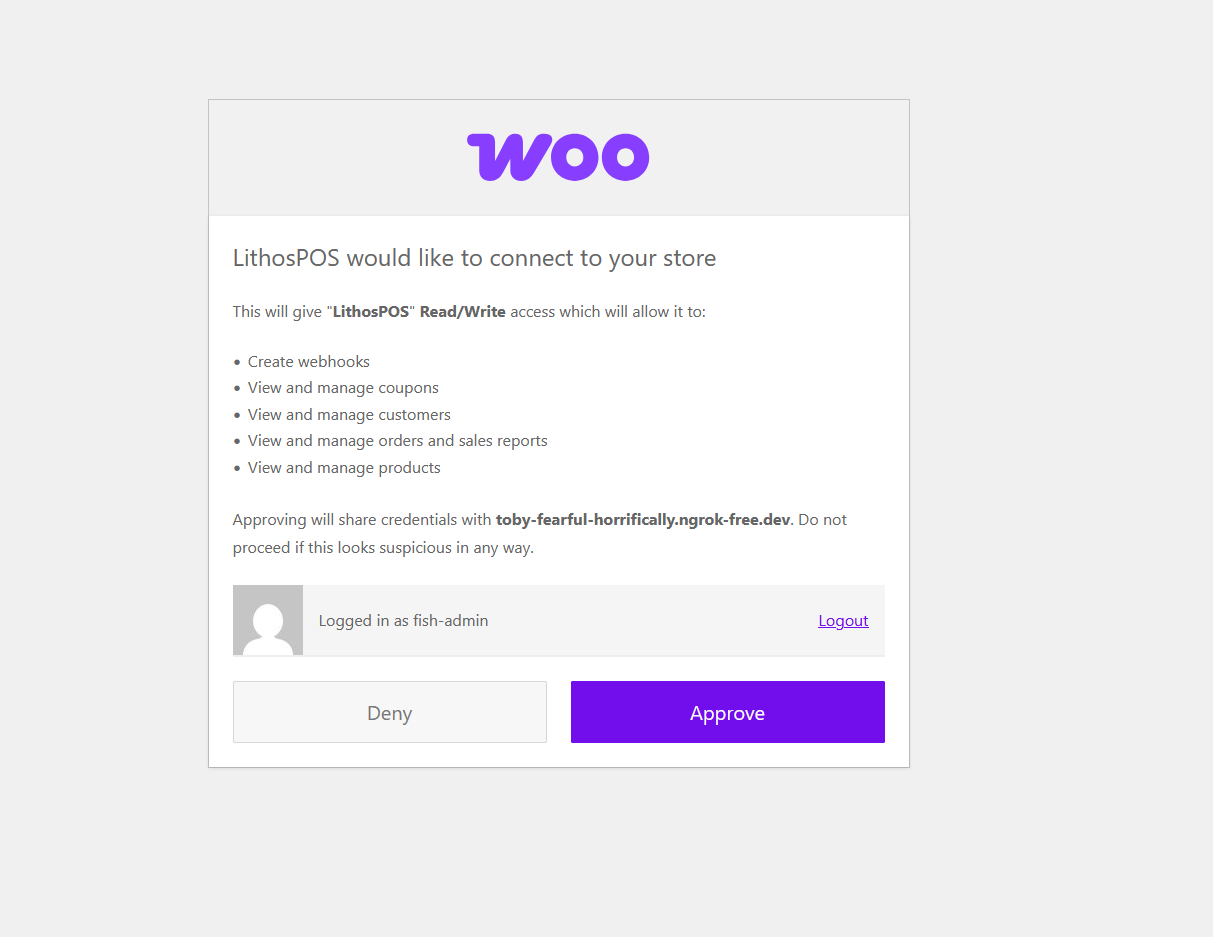
Configure the toggle functions
- Order Add: Toggle this on to automatically add orders received in WooCommerce to your POS system.
- Order Update:
Enable this to ensure that any updates made to orders in WooCommerce are reflected in your POS. - Customer Add:
Turn this on to add new customers from WooCommerce to your POS system. - Customer Update:
Activate this to update customer details in your POS when changes are made in WooCommerce. - Receive New Products
- Receive Product Updates
- Send Products
- Send Products Images
- Click on submit
Connect with us to know more
To learn more about it feel free to book a meeting with our team
BOOK A DEMO
Was this article helpful?