
BAC Payment Integration in LithosPOS
LithosPOS supports integrated in-store payments through BAC Credomatic, a leading payment solutions provider in Central America, including Guatemala.
Updated
This integration allows merchants to process debit and credit card transactions directly from the LithosPOS POS interface using a BAC payment terminal. BAC integration streamlines checkout by automatically sending the payable amount from LithosPOS to the BAC terminal, reducing manual entry errors and speeding up transactions.
Supported Region
- Guatemala
- Other BAC Credomatic–supported regions (depending on merchant agreement)
Supported Payment Methods
- Debit cards
- Credit cards
Prerequisites
Before enabling BAC integration, ensure the following:
- Active merchant account with BAC Credomatic
- BAC-approved payment terminal
- Network connectivity between LithosPOS and the BAC terminal
- BAC integration enabled by LithosPOS team
Configuration in LithosPOS Back Office
- Log in to LithosPOS Back Office
- Navigate to Settings > Payment Methods
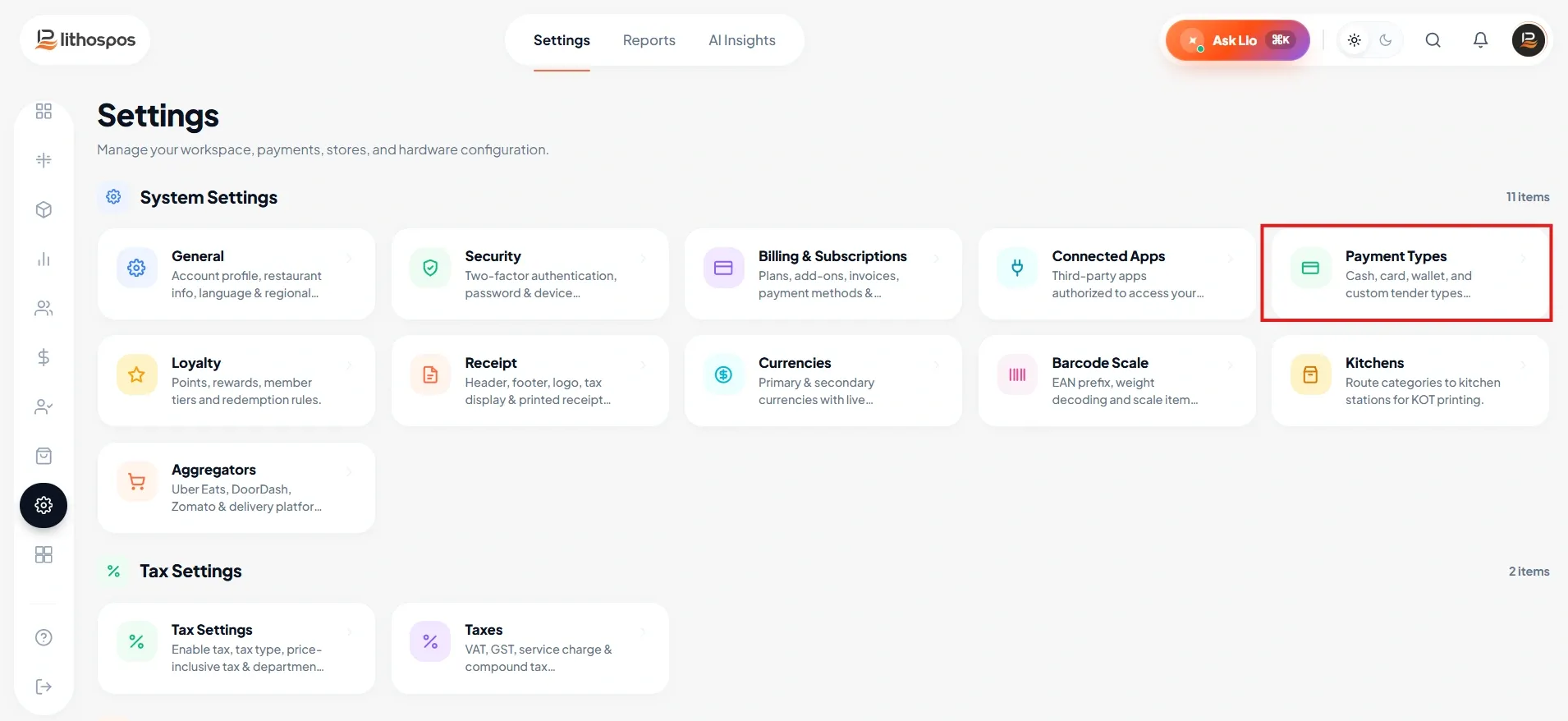
-
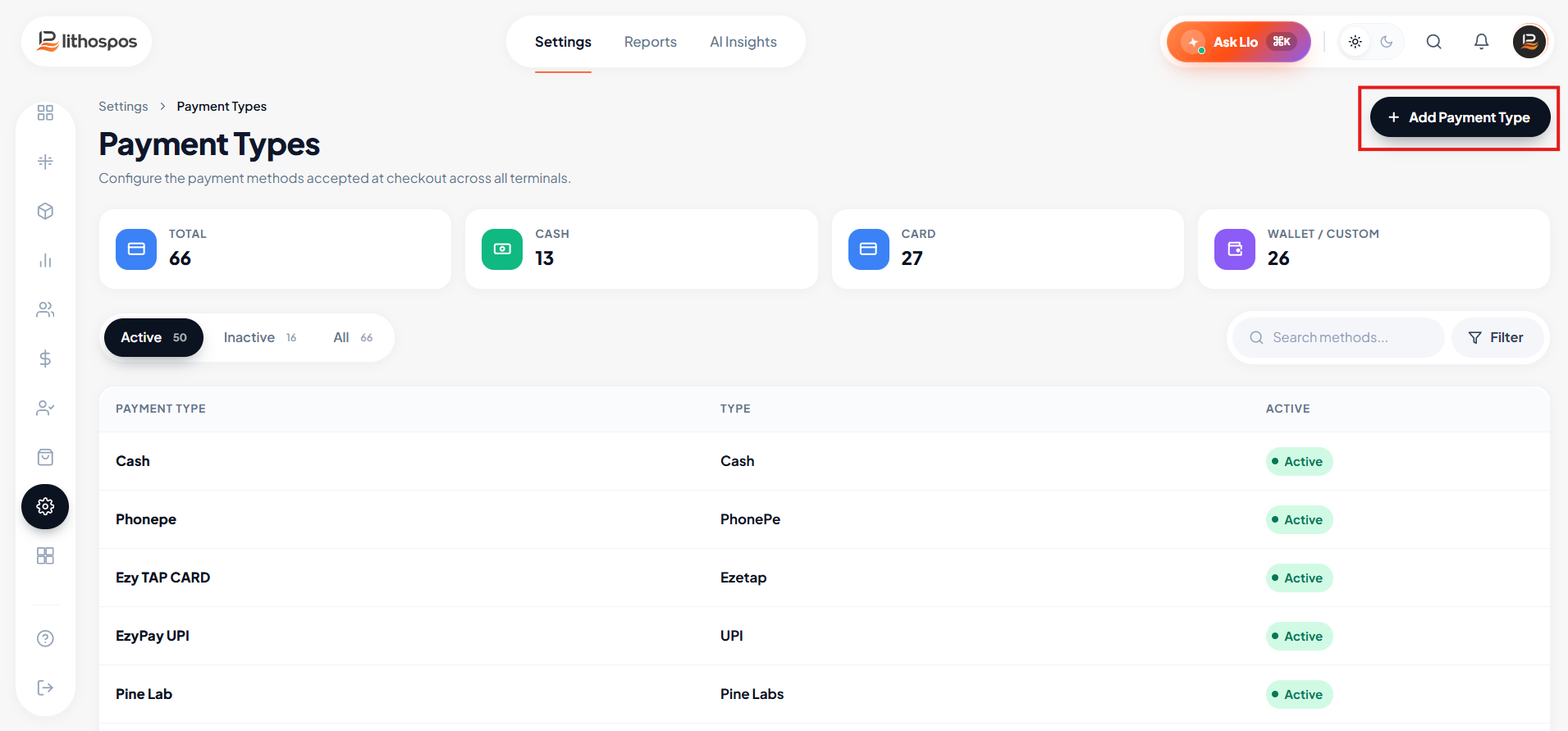
Click Add Payment Method
- Enter BAC as the payment method name
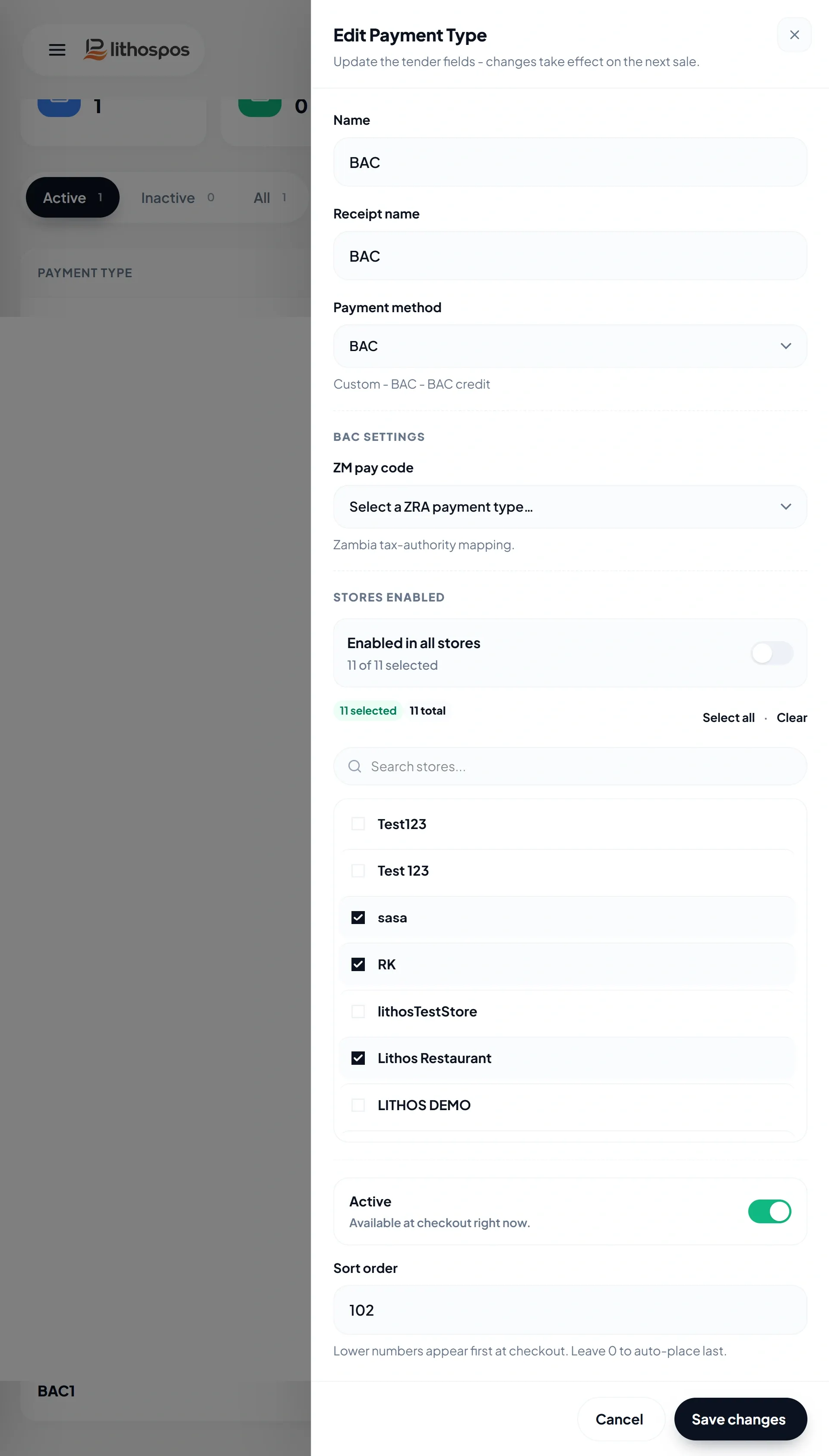
- Select BAC as the payment method type
- Assign the payment method to relevant stores
- Save the payment method and perform a POS sync
Configuration in the POS Application
- Open the LithosPOS application
- Go to Settings > BAC Settings
- Enter the BAC terminal connection details (IP address and port)
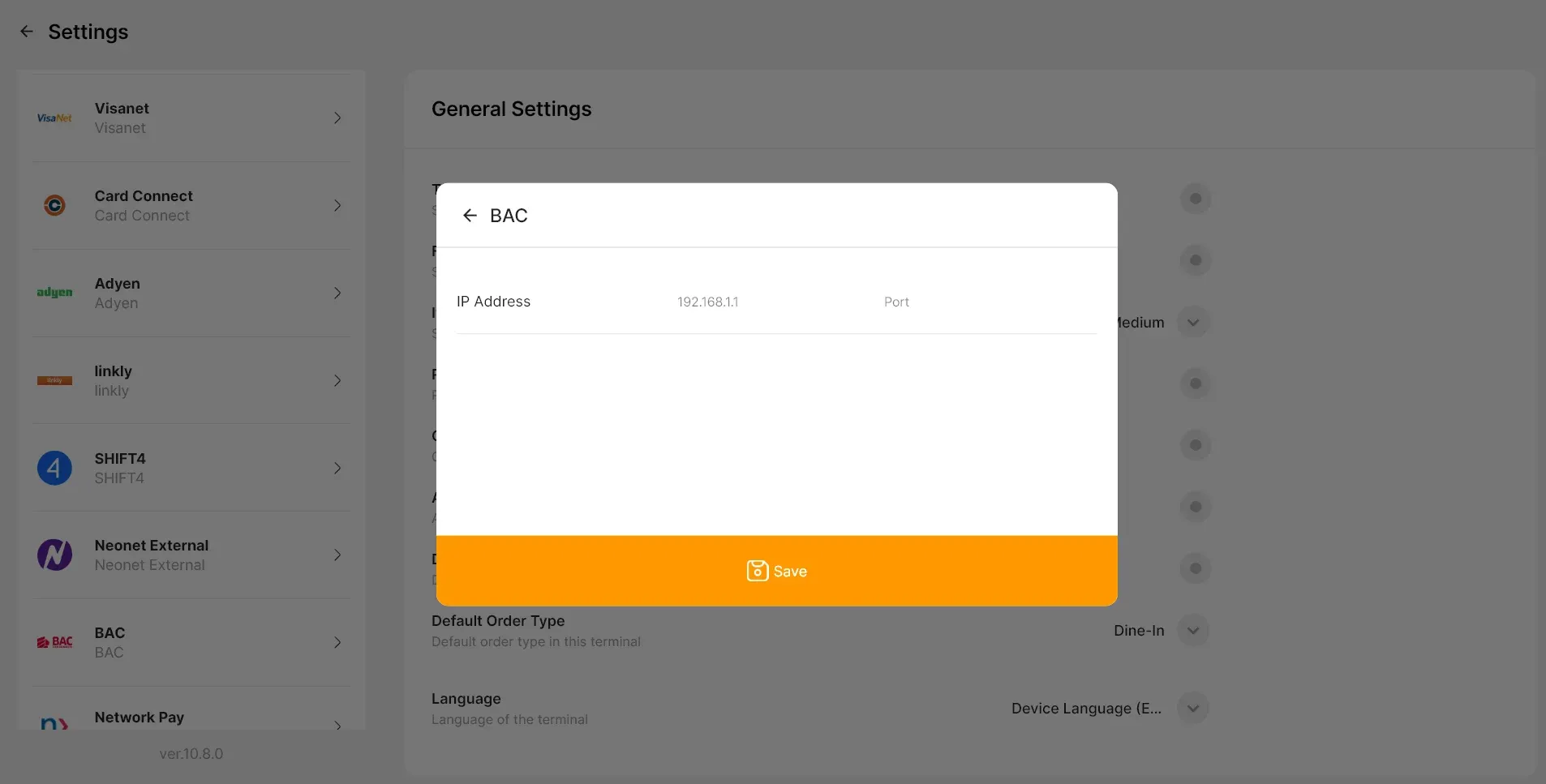
- Enable paper receipt printing if required
- Save the settings
BAC Payment Workflow
- Cashier adds items to the cart
- Cashier selects BAC as the payment method
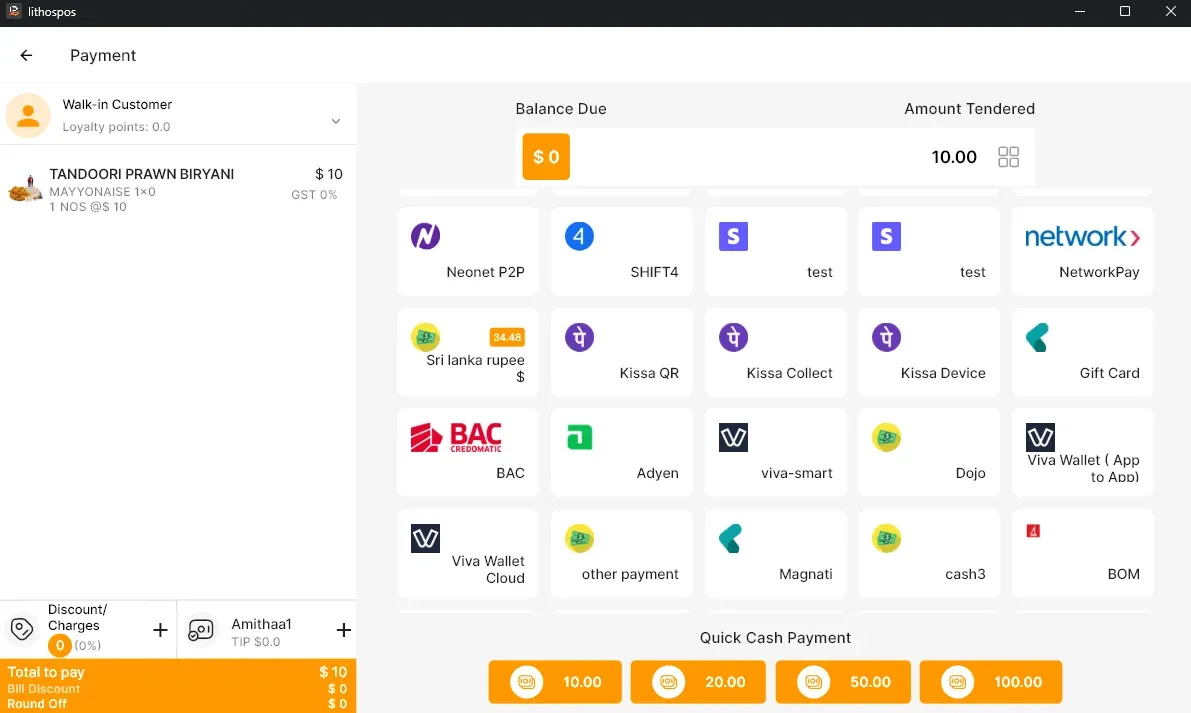
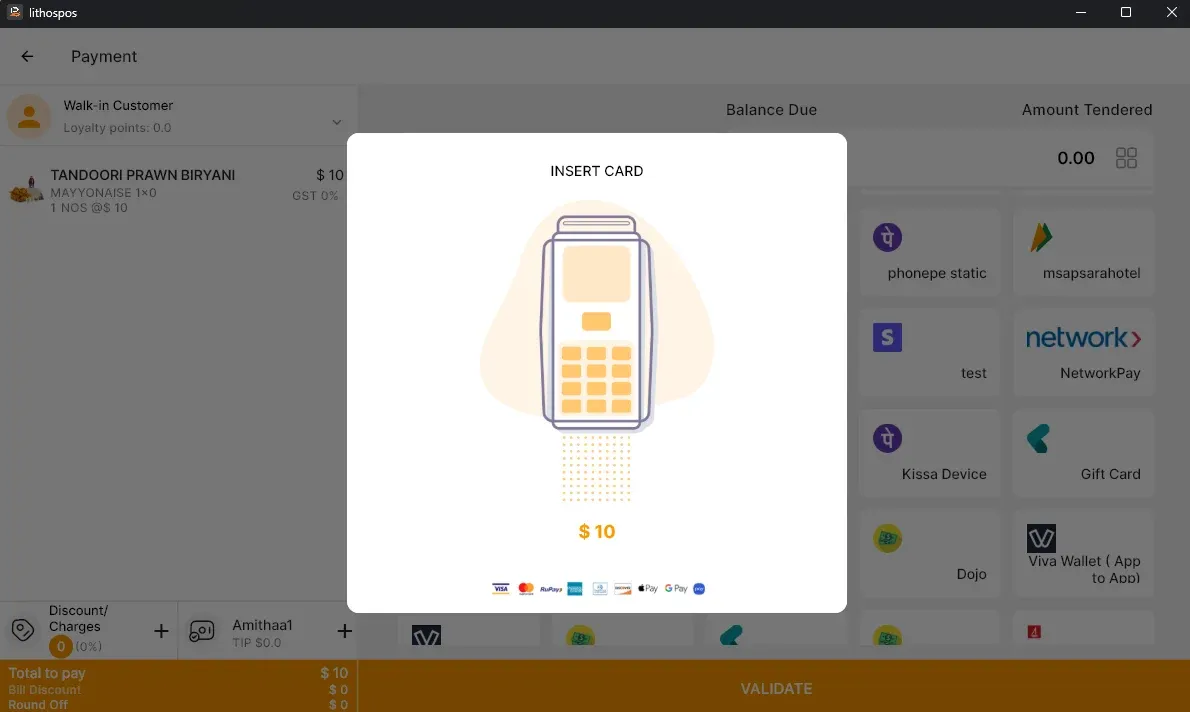
- LithosPOS automatically sends the amount to the BAC terminal
- Customer completes payment on the BAC terminal
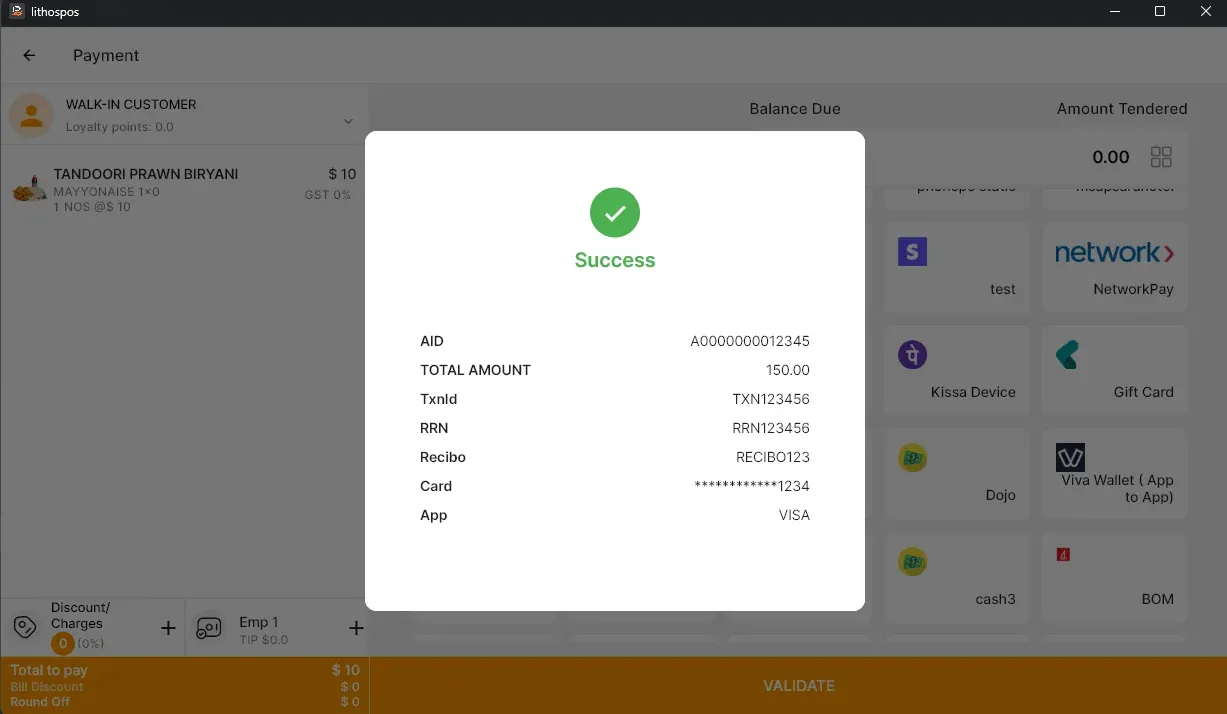
- BAC terminal returns the transaction result to LithosPOS
If approved:
- Sale is completed in LithosPOS
- Payment is recorded under BAC
- Receipts are printed based on configuration
If declined or cancelled:
- Sale remains unpaid in LithosPOS
- Cashier can retry or select another payment method
Voids and Settlement
- Void transactions can be performed for same-day sales before the batch is settled.
- BAC follows a daily batch settlement process, where transactions are grouped and processed at the end of the business day.
- Once the batch is closed, voids are no longer available from LithosPOS.
-
Any post-settlement adjustments should follow BAC Credomatic’s merchant procedures.
Reporting and Reconciliation BAC transactions are recorded in LithosPOS sales and payment reports. End-of-day reconciliation should compare LithosPOS reports with BAC terminal settlement reports.
Important Notes
- BAC integration is only available in supported regions such as Guatemala.
- Stable network connectivity is required for accurate and reliable transaction processing.
- Any terminal configuration changes should be coordinated with BAC support.
Support
- For BAC integration activation, configuration assistance, or troubleshooting, contact Team LithosPOS Support with merchant and terminal details.
Connect with us to know more
To learn more about it feel free to book a meeting with our team
Was this article helpful?