

 LithosPOS
How to Set Store Hours for DoorDash Orders
Merchants can control their operating hours for DoorDash directly from the Back Office. This allows you to define when your store is available to accept online orders, including regular business hours and special timings for holidays or specific days.
Step-by-step Instructions:
-
Login to the Back Office
Go to my.lithospos.com and log in to the Back Office (BO). - Start by navigating to Online Orders → Settings, Select the required store, then click on Opening Time.
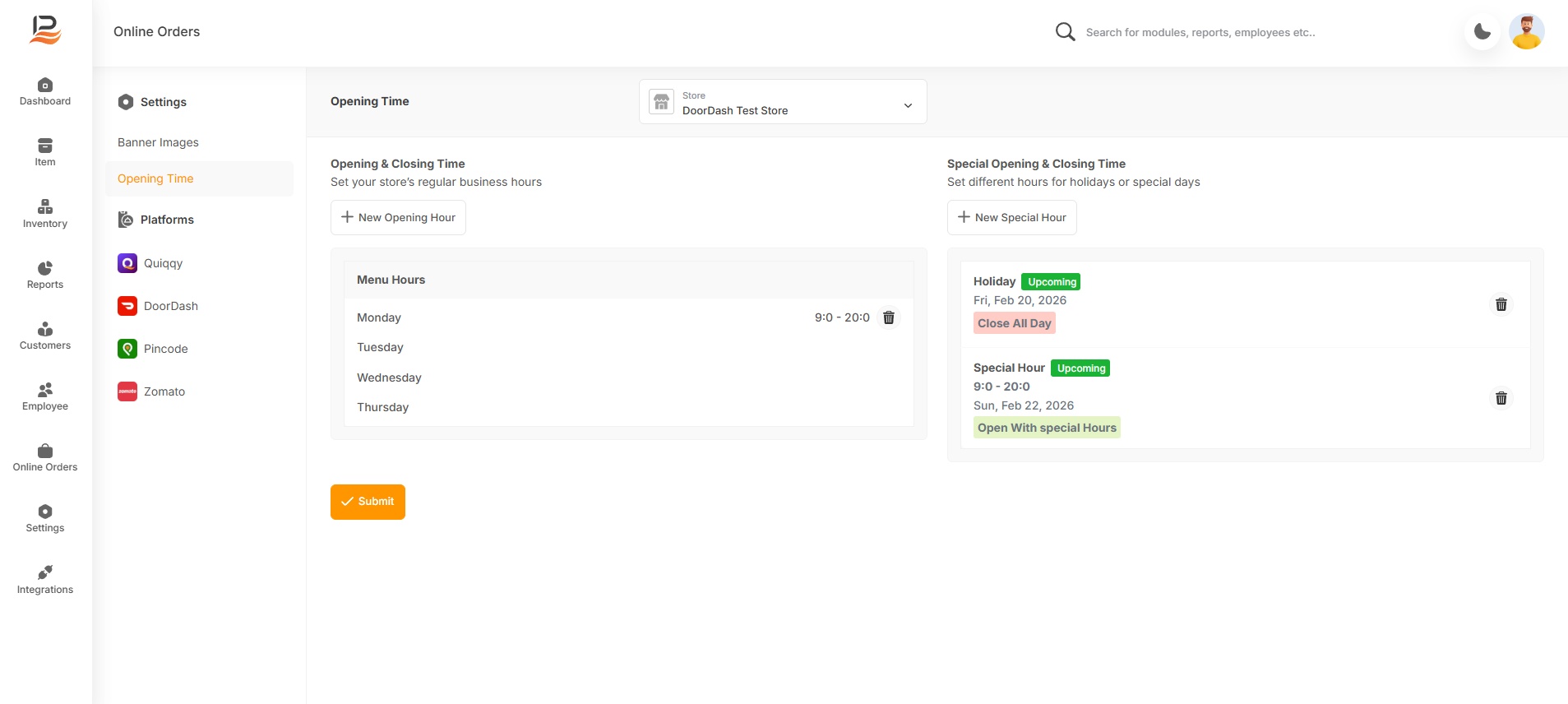
- Select the required store from the store list or dropdown. This ensures that the hours are configured for the correct outlet/location.
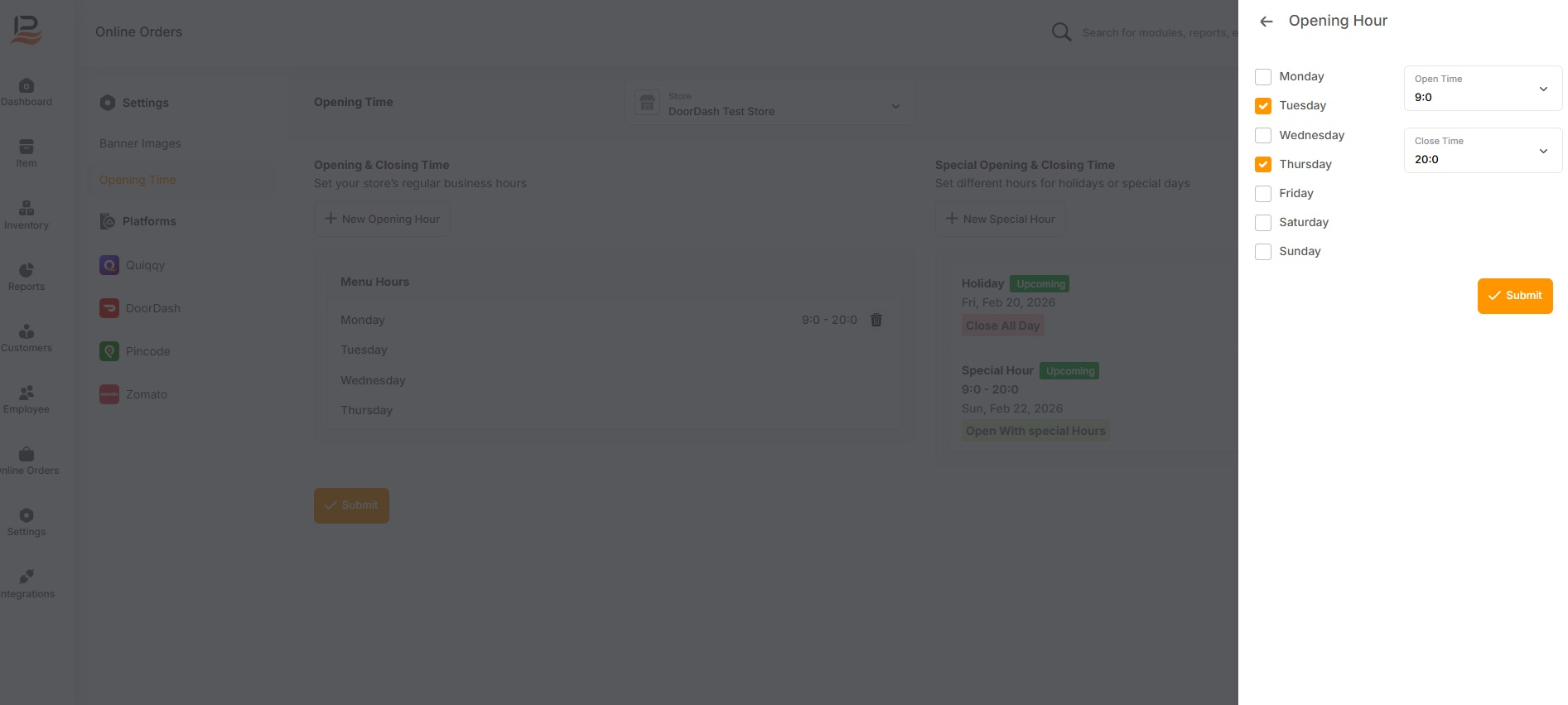
- Click on New opening hour. This will open the store hours configuration panel.
- Opening Time & Closing Time – Regular working hours for the store.
- Click on New Special hour. This will open the store hours configuration panel.
- Special Opening & Closing Time – Optional timings for holidays, weekends, or special events.
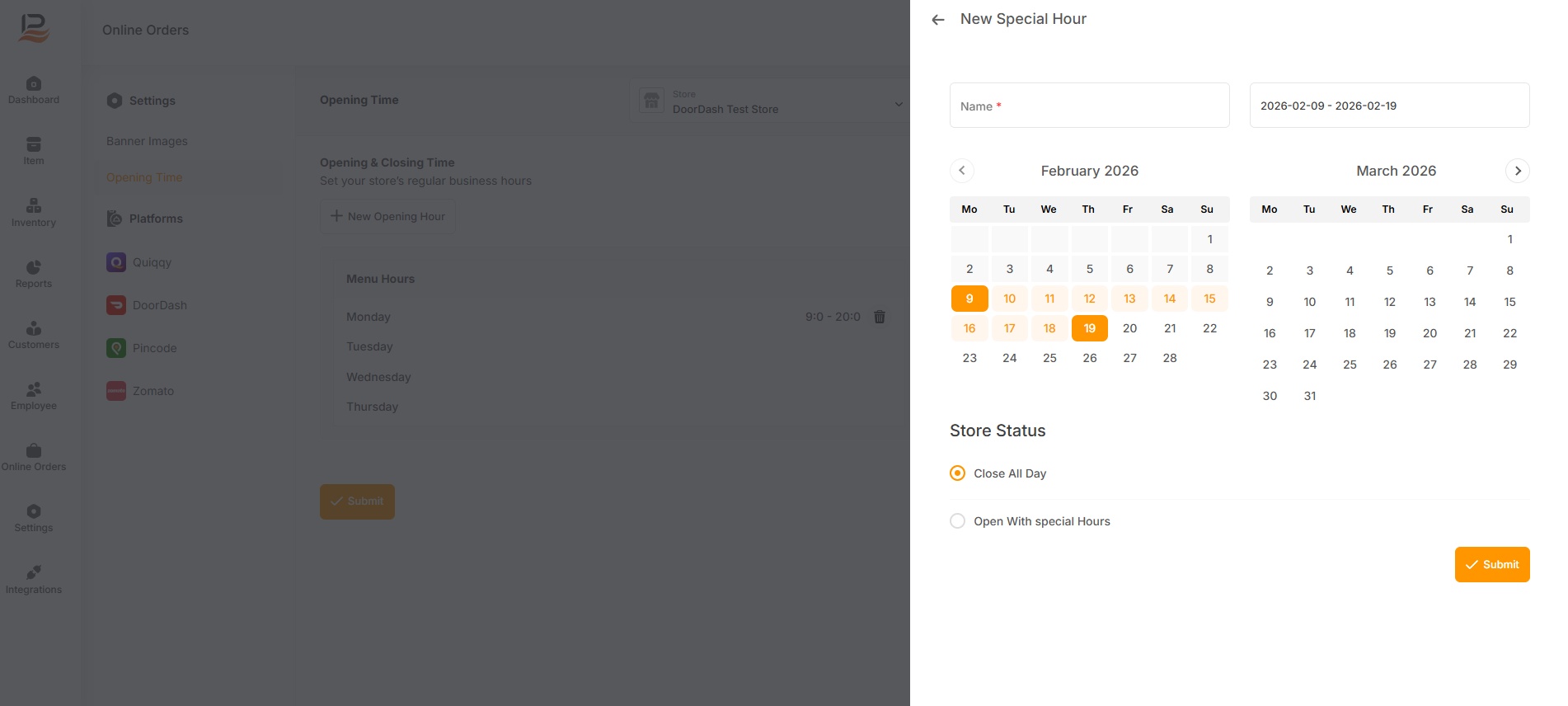
- These settings allow you to control exactly when your store should appear as “open” on DoorDash.
- After completing the setup, click Submit to save the changes.
- These timings will automatically reflect on DoorDash, and customers will only be able to place orders during the configured hours.