

 LithosPOS
Store Availability Management
How to Pause and Reactivate Store on DoorDash
-
Login to the Back Office
Go to my.lithospos.com and log in to the Back Office (BO). - Start by navigating to Online orders > Settings > Doordash > Store > Store status.
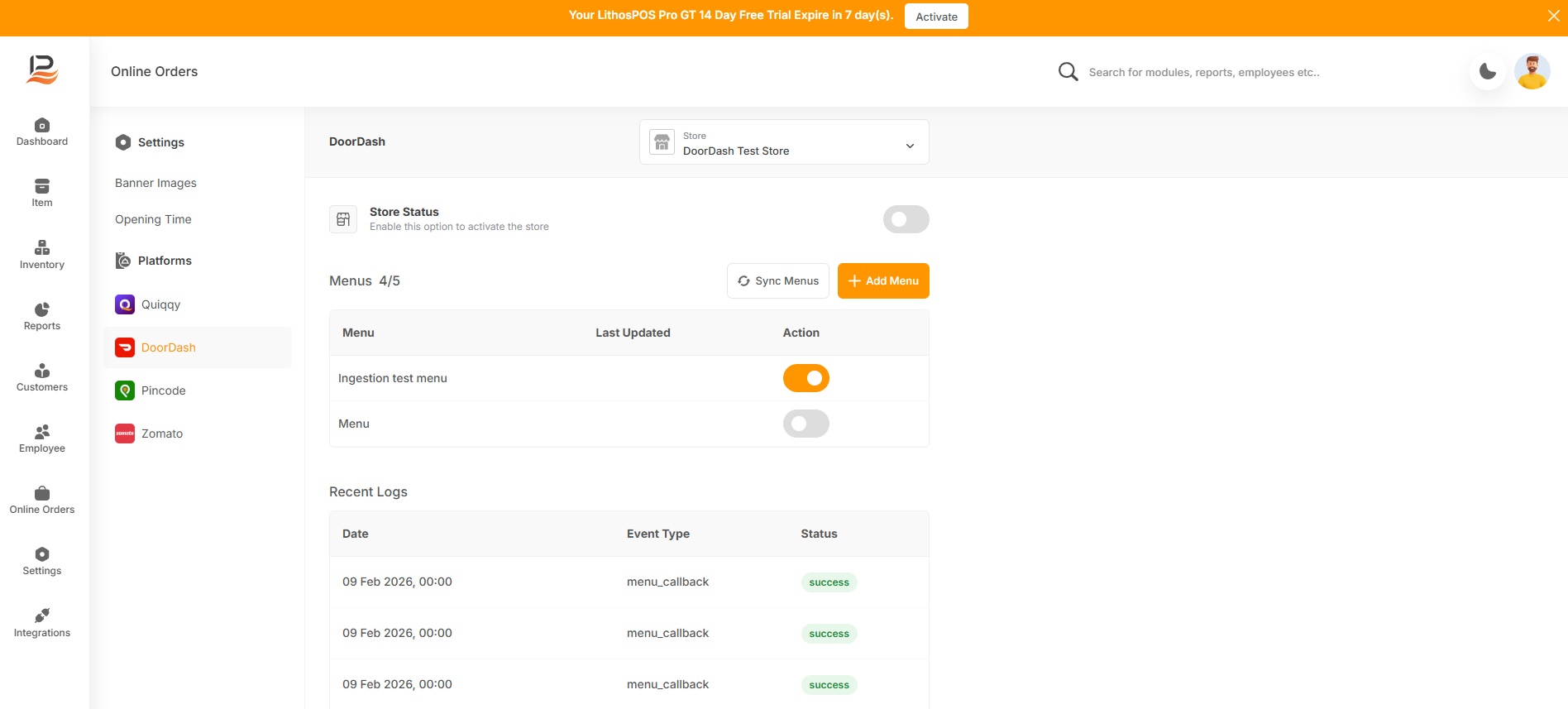
- Merchants can temporarily stop accepting orders when needed using the toggle buttons.