
Employees Management
LithosPOS offers a robust employee management system that enables businesses to effectively organize and manage their workforce.
LithosPOS offers a robust employee management system that enables businesses to effectively organize and manage their workforce. By creating various roles and assigning them to employees, you can control access to different features within the POS system and back office. This ensures that sensitive data and operations are protected while allowing employees to perform their tasks efficiently.
Adding Employees
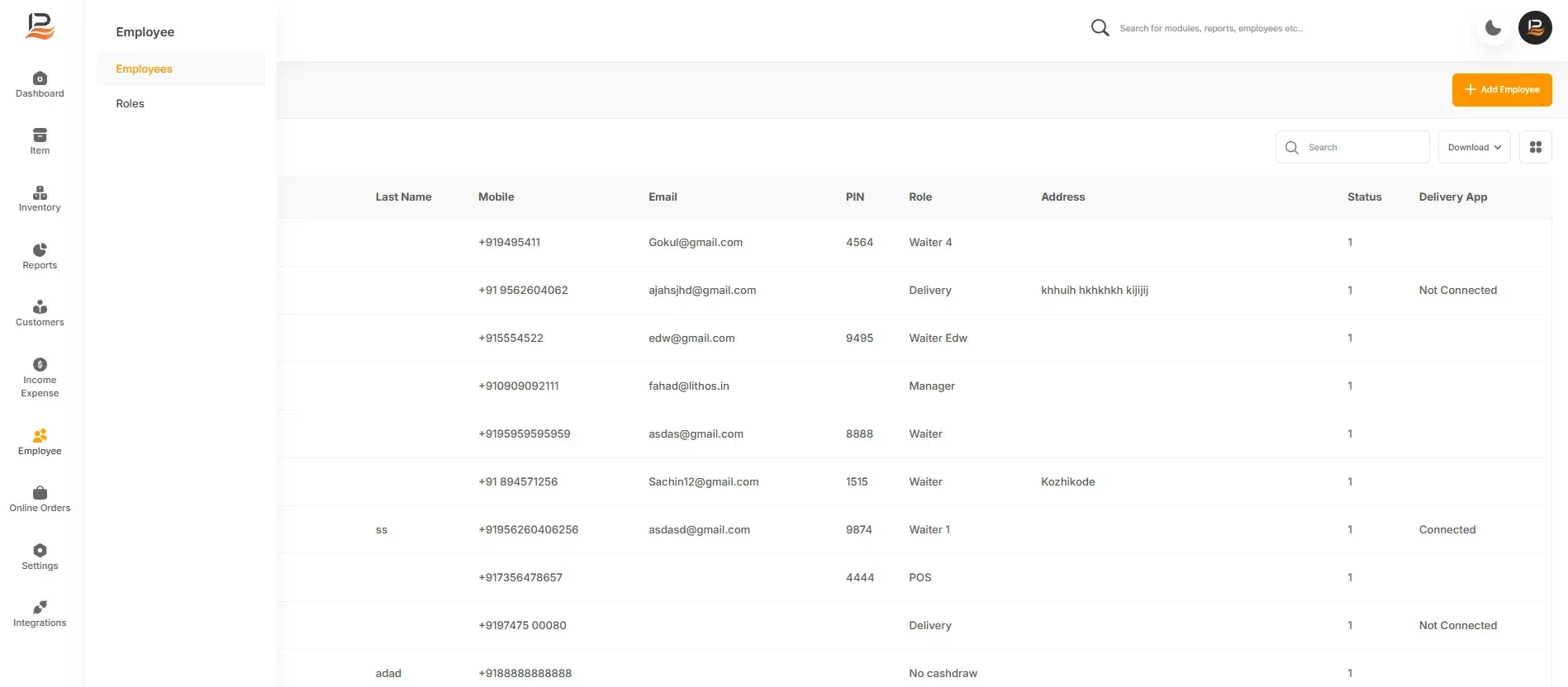
- Navigate to Employees: In the side menu, click on "Employees."
- Add a New Employee: Click the "Add Employee" button.
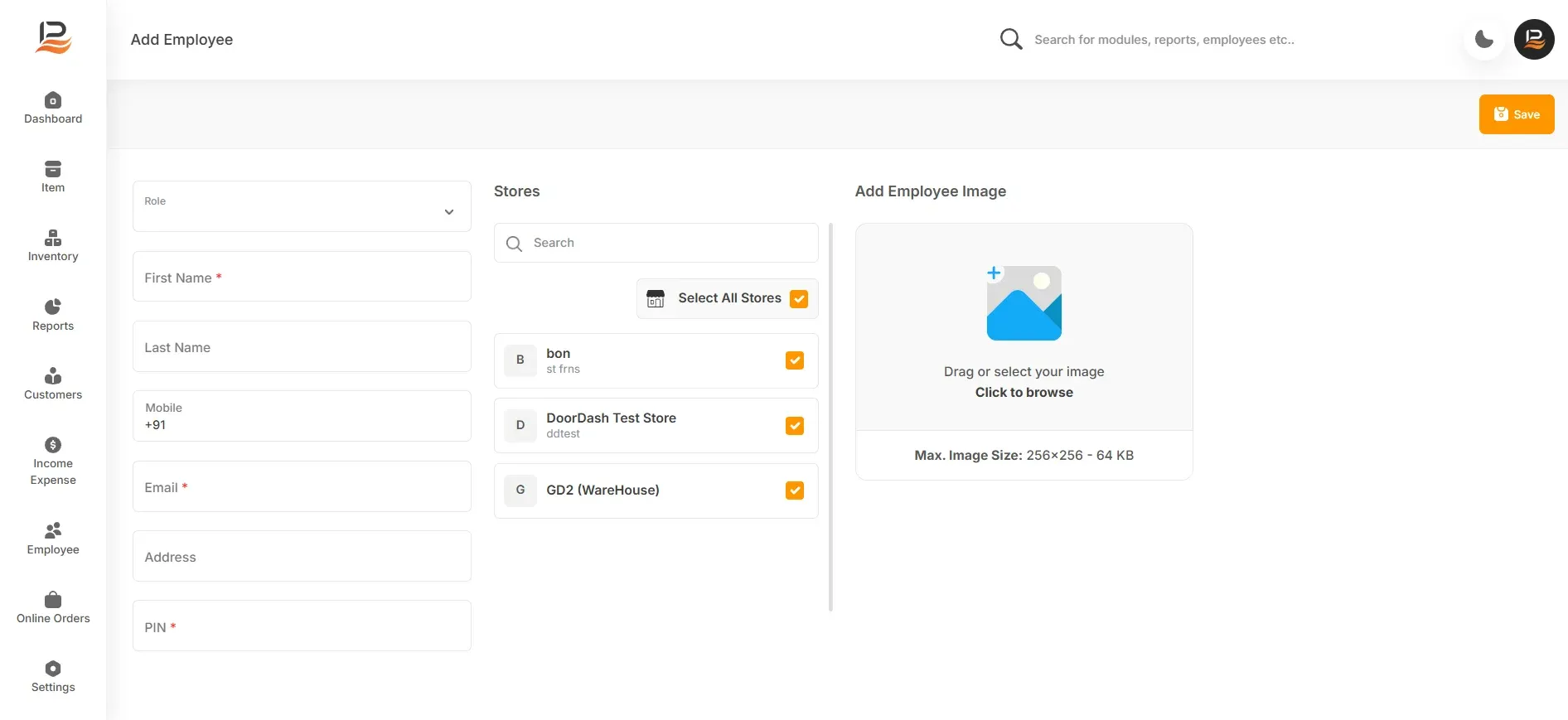
- Choose a Role: Select the appropriate role for the employee from the existing list.
Enter Employee Information
Provide the following details:
- First name
- Last name
- Mobile number
- Store address
- Password (confirm by re-entering)
- 4-digit PIN for POS login [the 4-digit PIN for POS login is required only if the employee has been granted POS access].
- Select Stores: Choose the stores the employee is associated with. This is applicable only for multi-store businesses.
- Upload Photo: Optionally, upload a photo of the employee.
- Save: Click "Save" to add the new employee.
Additional Information
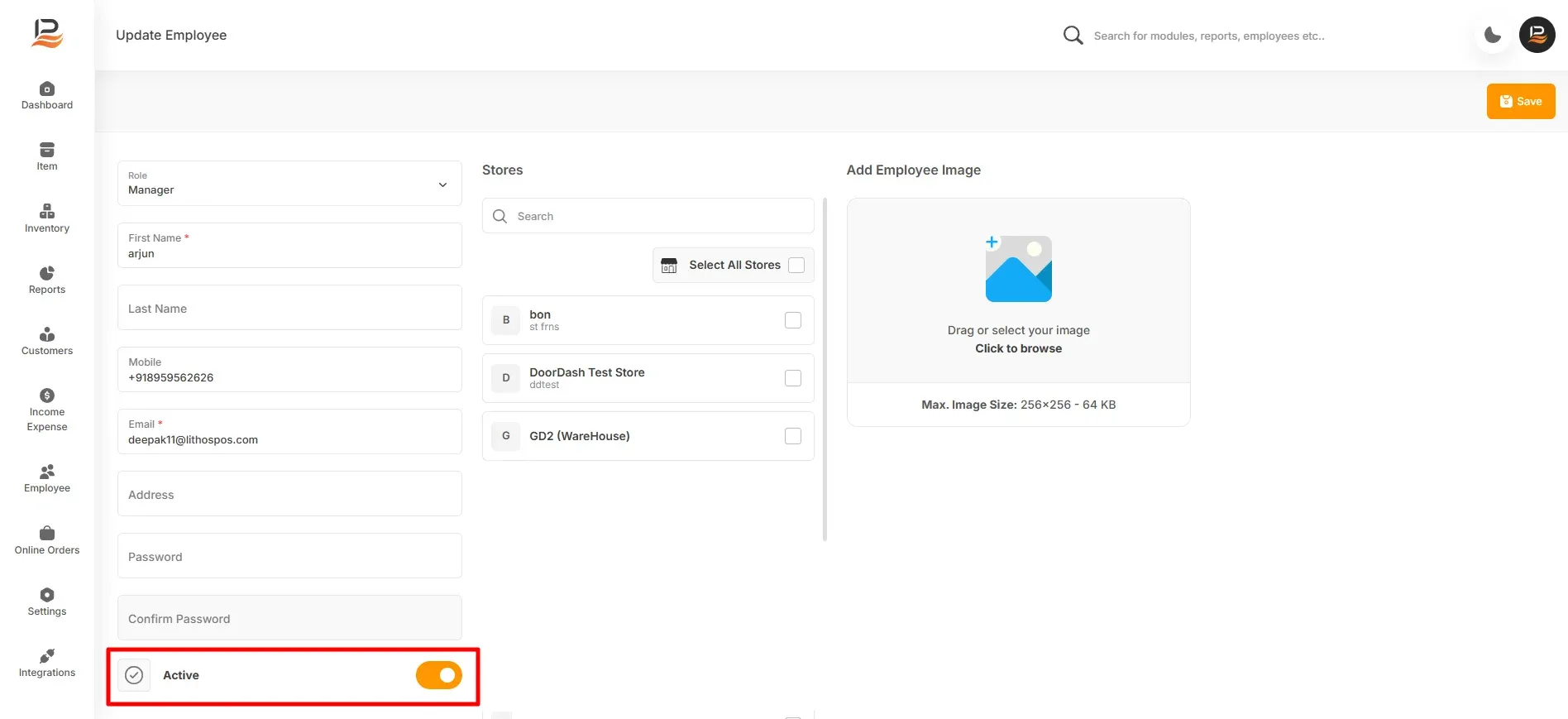
Deactivating Employees: To deactivate an employee, click on their name, toggle off the "Active" button, and save.
Role Management: For detailed information on creating and managing roles, refer to our documentation on "Setting Employee Roles."
Connect with us to know more
To learn more about it feel free to book a meeting with our team
Was this article helpful?