
Neonet In-Person Payment Integration in LithosPOS
LithosPOS supports integrated in-person payments through Neonet, enabling you to process payments swiftly and securely.
Updated
LithosPOS supports integrated in-person payments through Neonet, enabling you to process payments swiftly and securely. This integration ensures quick transactions and minimizes manual errors, enhancing overall business efficiency. Should you need any further assistance with the Neonet integration, our support team is available to help.
Configuring Neonet In-Person Payment in LithosPOS Back Office
Follow these steps to add and configure Neonet as a payment option in LithosPOS:
- Log in to the Back Office and select 'Settings' from the side menu.
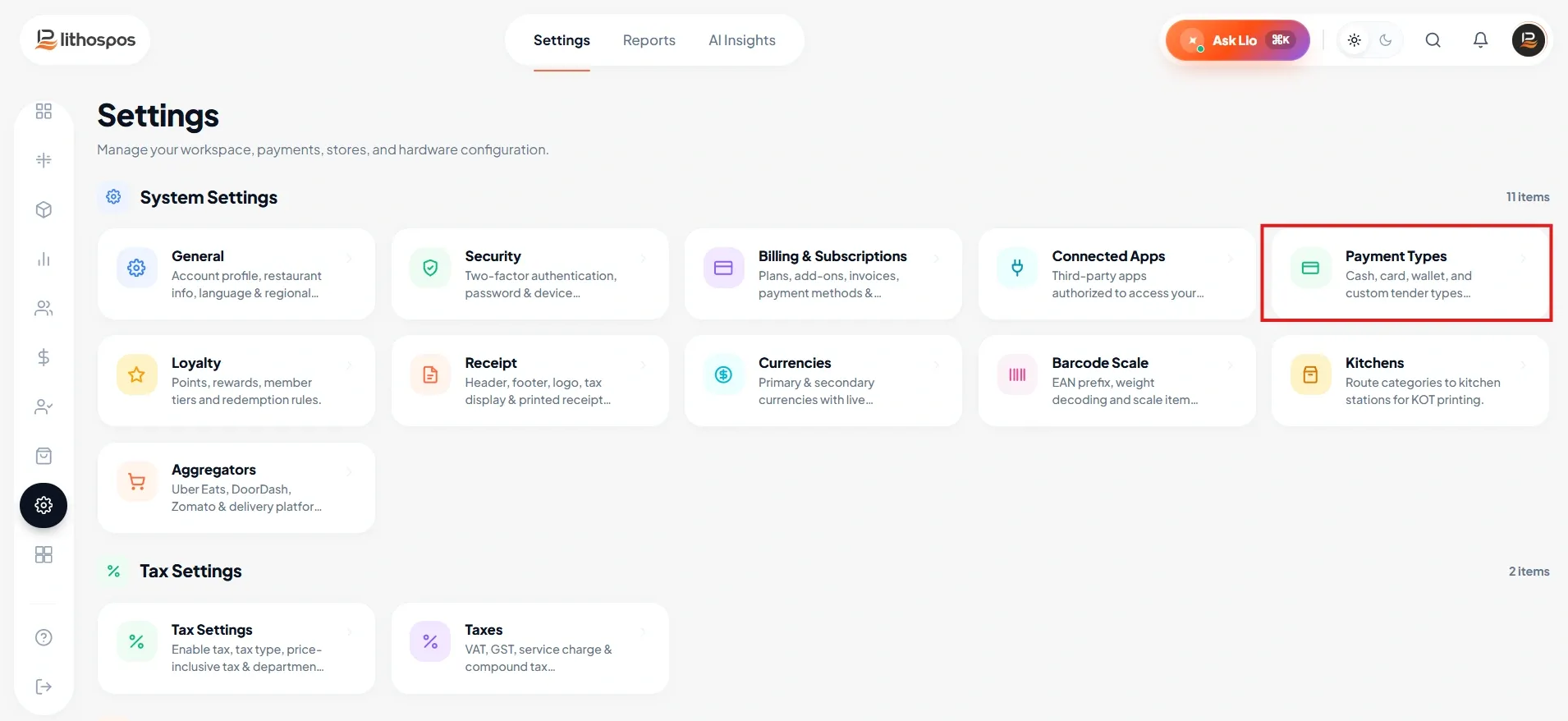
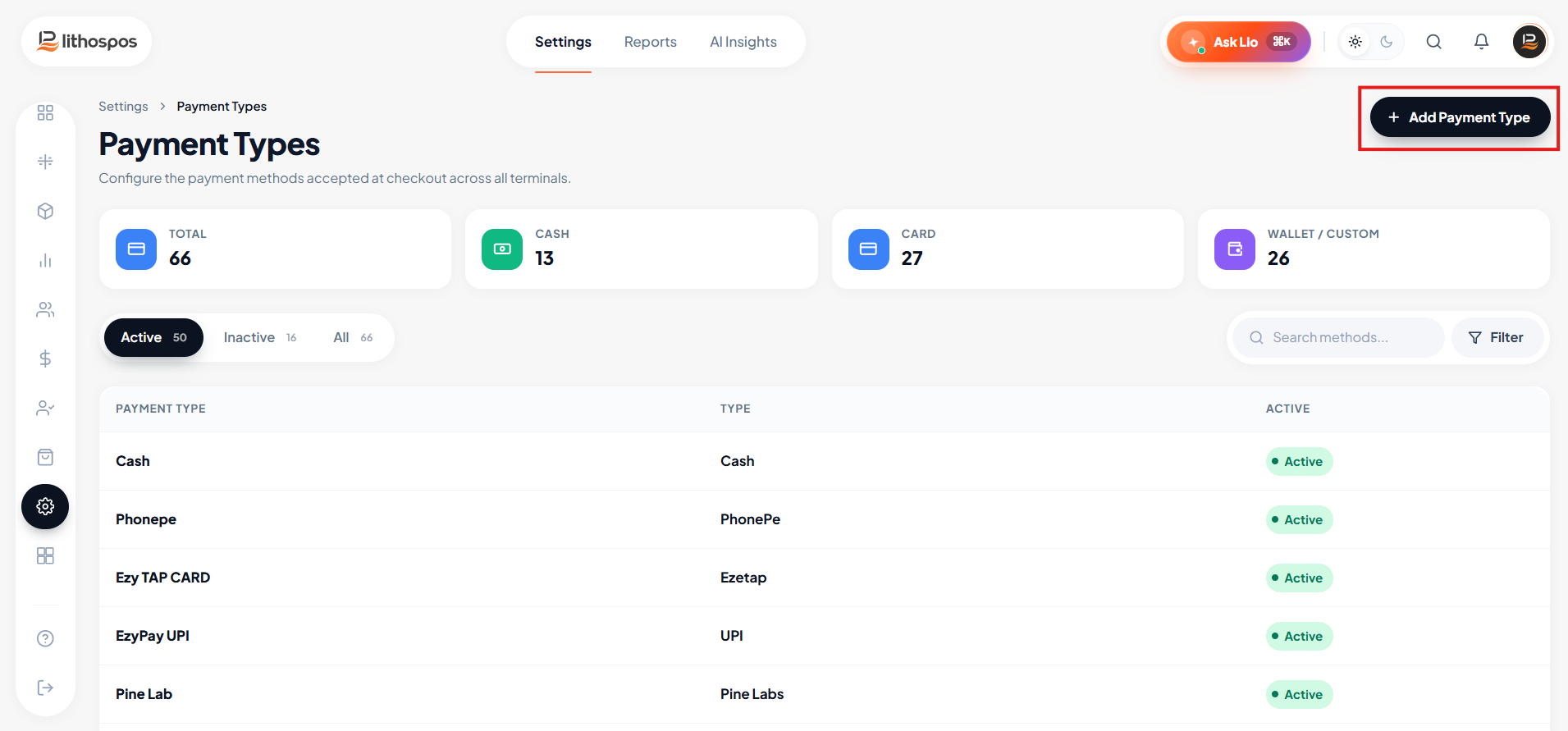
- Navigate to ‘Payment Types’.
- Click on ‘+ Add Payment Type’ at the top-right corner.
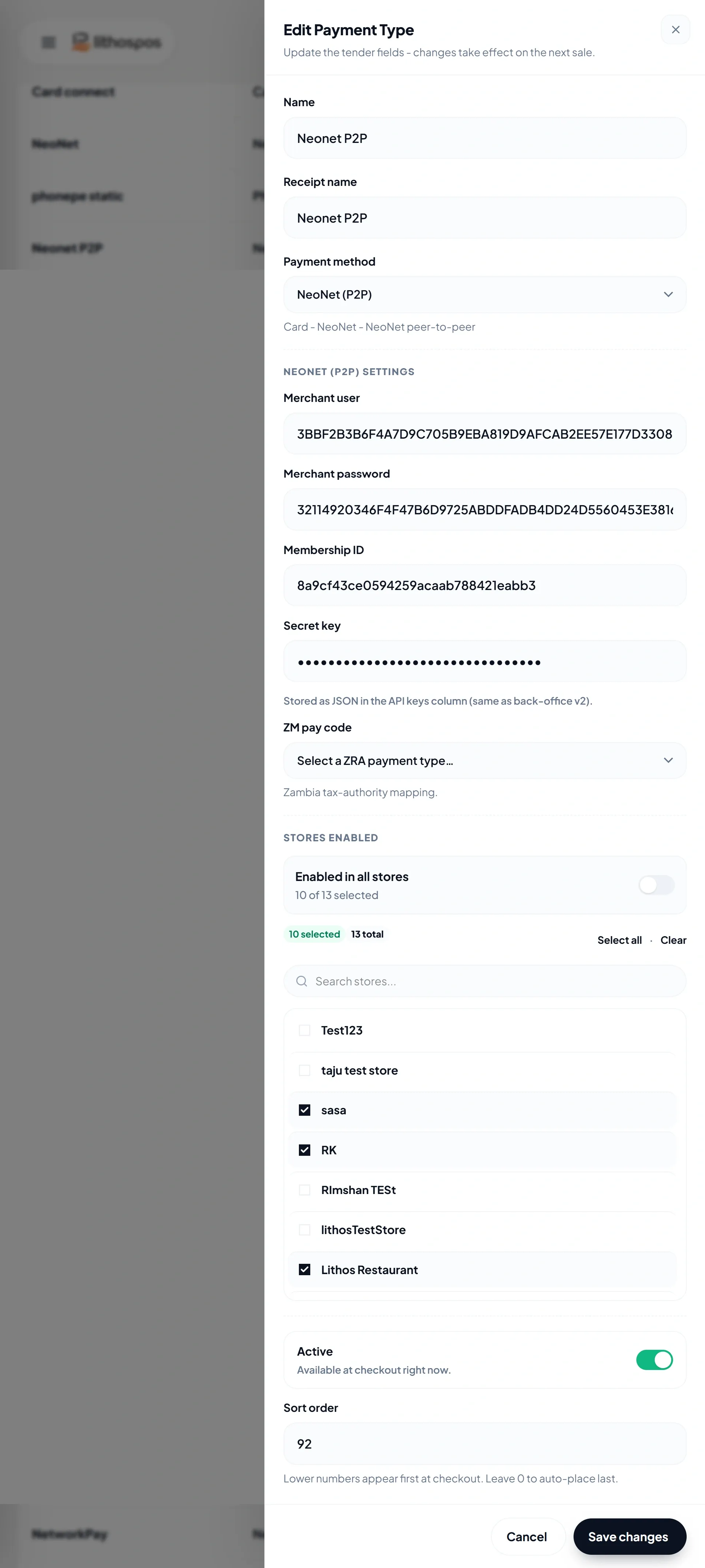
- In the Name field, enter 'Neonet In-Person'—this name will appear on the POS payment screen.
- From the Type drop-down list, select Neonet In-Person.
- In the Receipt Name field, type 'Neonet In-Person' to define how it should display on customer receipts.
Enter the following details:
- Merchant Username
- Password
- Terminal ID
- Card Acquirer ID (ACQ ID)
- Toggle the Activate/Deactivate button to enable or disable this payment method.
- Under the Stores section, select the stores where you want Neonet available.
- Click Submit to save the settings.
- After saving, sync your POS system to make the Neonet Online payment option available during transactions.
Now, when a customer scans and pays using PhonePe, the payment window will close only once the required payment amount is received in your bank account.
Connect with us to know more
To learn more about it feel free to book a meeting with our team
Was this article helpful?