
ADSR Pull
The ADSR Pull feature allows stores to efficiently transfer sales data to the mall's system using an API link.
LTLithosPOS TeamMis à jour
This functionality helps in pulling sales data from individual stores and integrates it into a centralized system. The provided REST API returns data in JSON format, with the option to filter sales details by date.
Settings and Setup
Accessing ADSR Pull
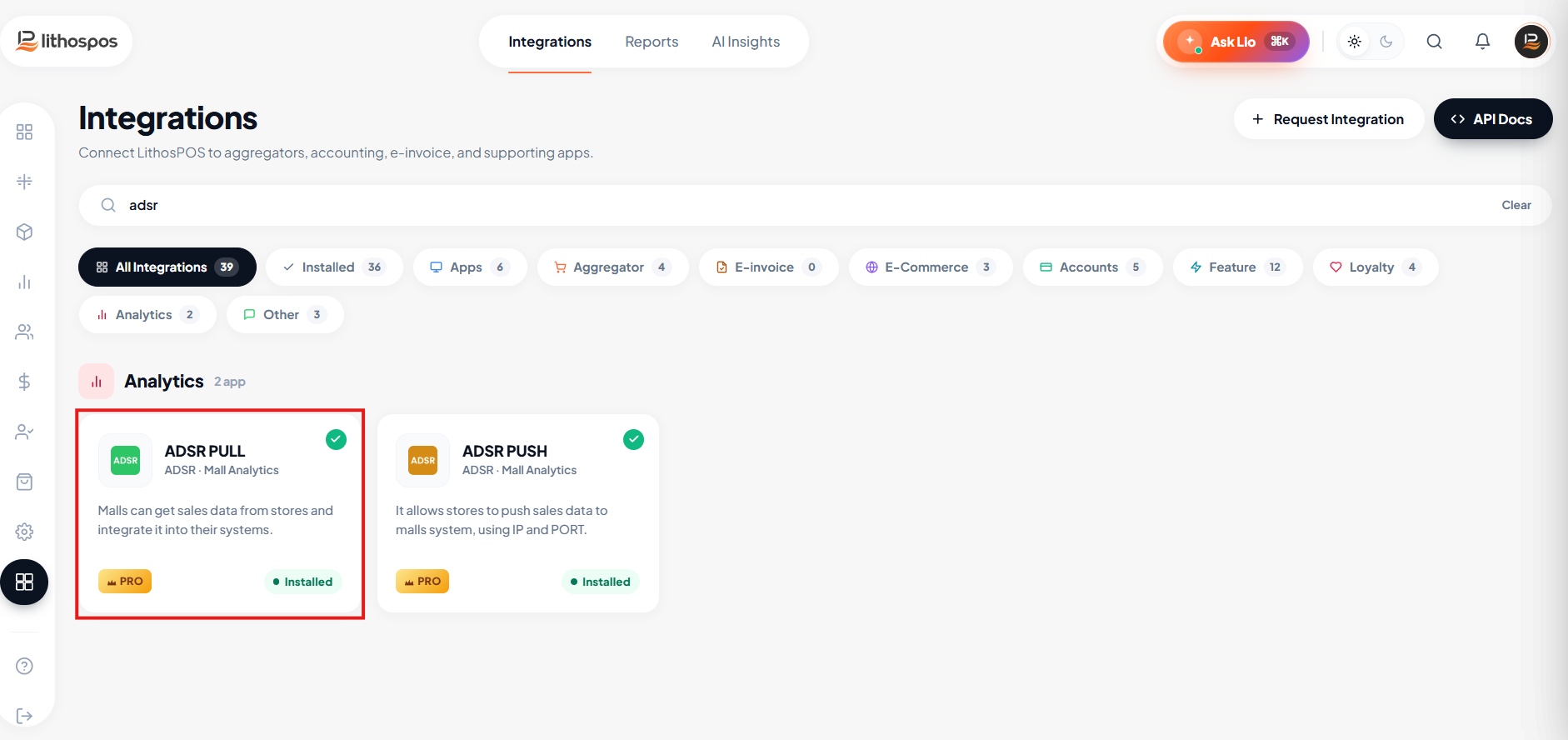
- Go to the back office and navigate to the Integration section.
- Click on ADSR Pull App to install it.
Configuring ADSR Pull
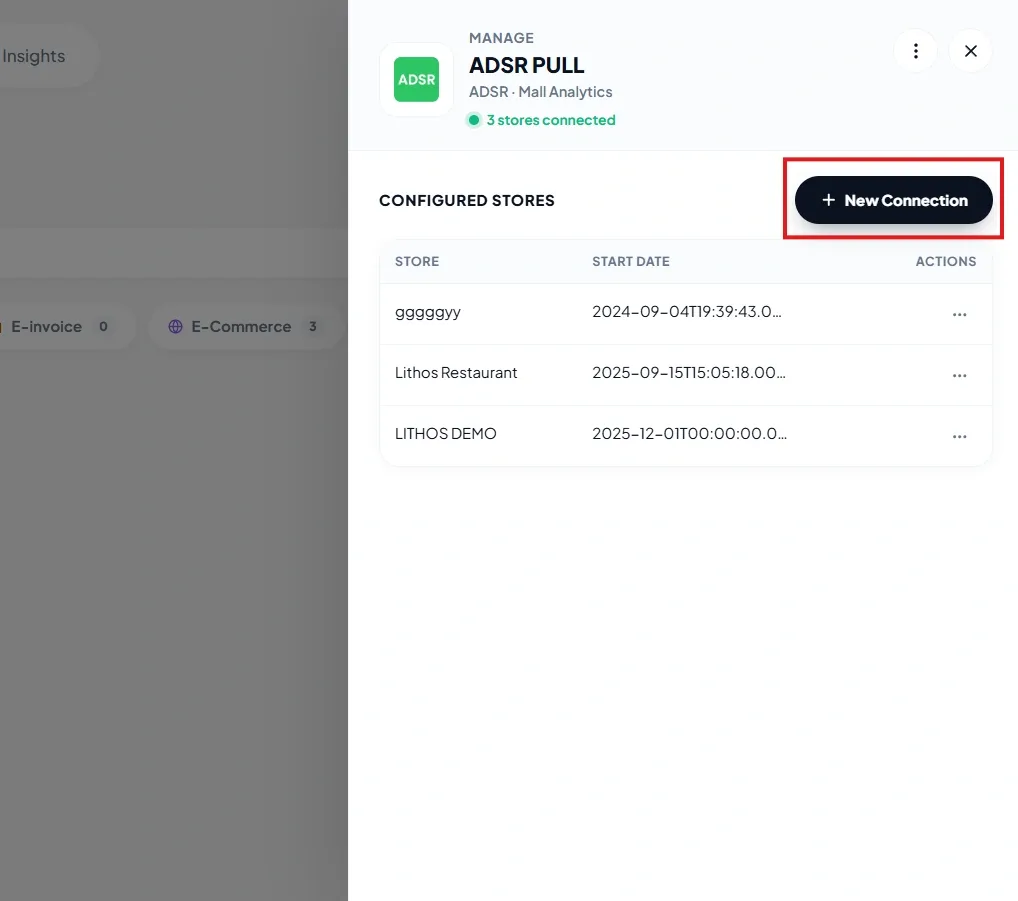
- Once installed, click on Settings.
- Click on +New Connection to add a store for data pulling.
Adding a Store
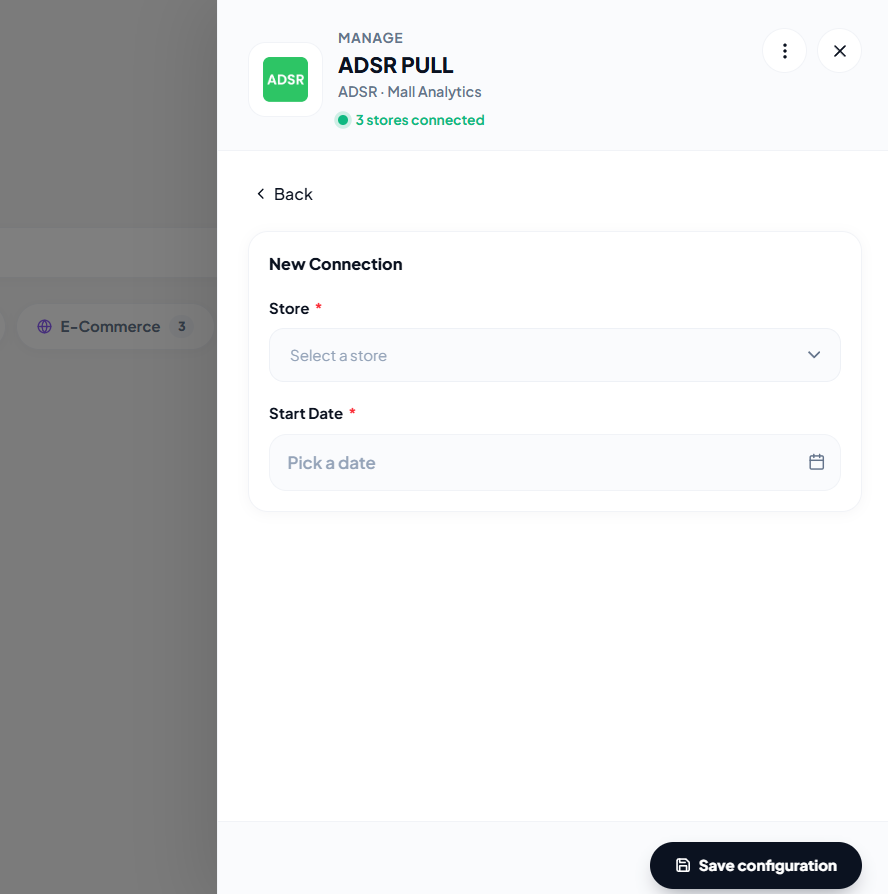
- Select the desired store from the list.
- Choose the date from which you want to pull data. Only sales data from this date onward will be included.
- Click Submit to save the settings.
- If you want to remove a submitted configuration, click on the three dot action button against the particular store and remove it.
Receiving Data
- The API will provide a JSON response containing the sales details based on your date filter.
Connect with us to know more
To learn more about it feel free to book a meeting with our team
Cet article vous a-t-il été utile ?