
Linkly Integration in LithosPOS
LithosPOS supports integrated in-store payments through Linkly, a widely used payment integration platform that connects POS systems with payment terminals across Australia and other supported regions.
LTLithosPOS TeamMis à jour
With this integration, merchants can process debit and credit card payments directly from the LithosPOS interface using a Linkly-enabled payment terminal. The POS automatically sends the payable amount to the terminal, eliminating manual entry.
This helps:
- Reduce cashier errors
- Speed up checkout
- Provide a seamless payment experience for both merchants and customers
Supported Regions
- Australia
- New Zealand
- Other Linkly-supported regions (depending on merchant agreement)
Supported Payment Methods
- Debit Cards
- Credit Cards
Prerequisites
- Before enabling Linkly integration, ensure the following requirements are met:
- An active merchant account configured with a Linkly-supported payment provider
- A Linkly-compatible payment terminal installed and configured
- Linkly EFT Client installed and running on the POS machine
- Network connectivity between LithosPOS and the Linkly EFT Client
Configuration in LithosPOS Back Office
-
Log in to LithosPOS Back Office
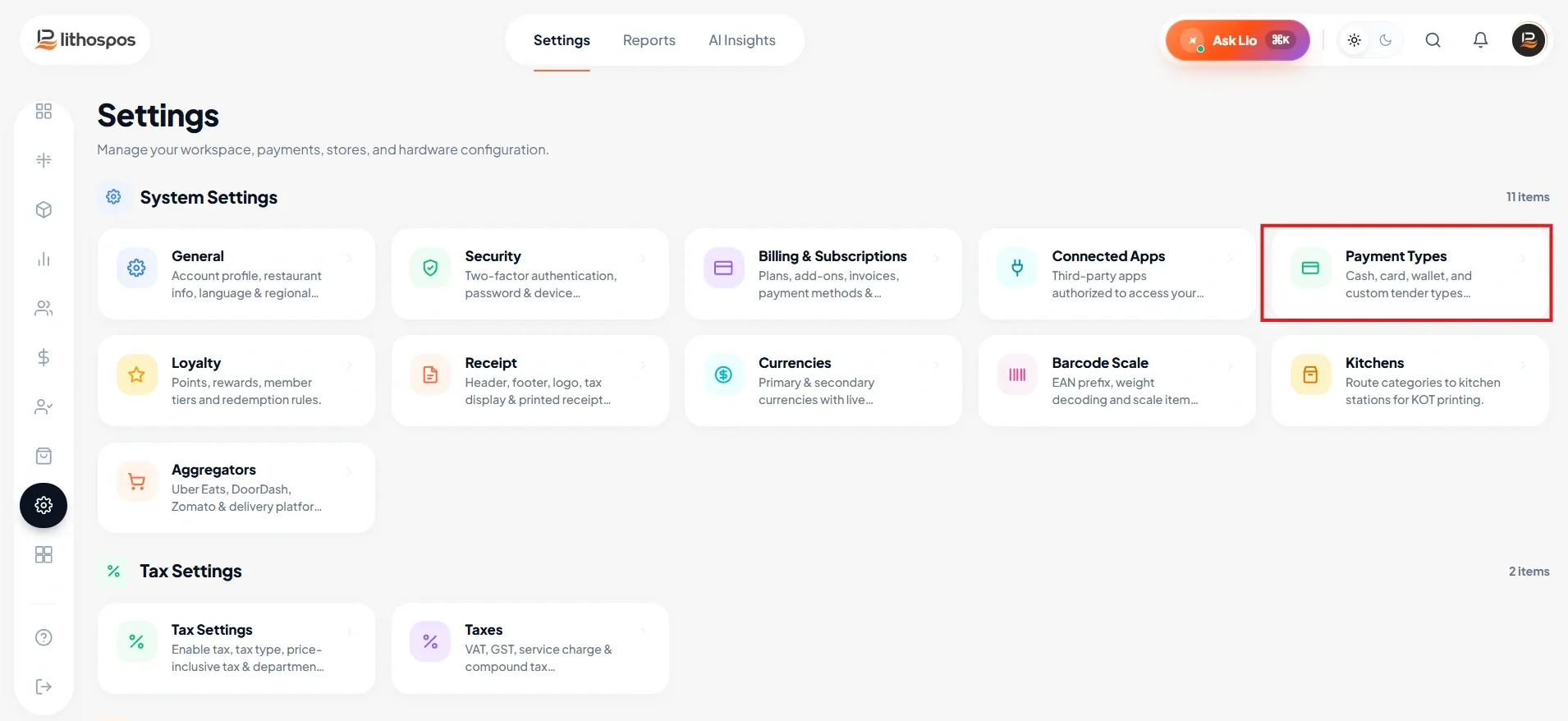
- Navigate to Settings → Payment Methods
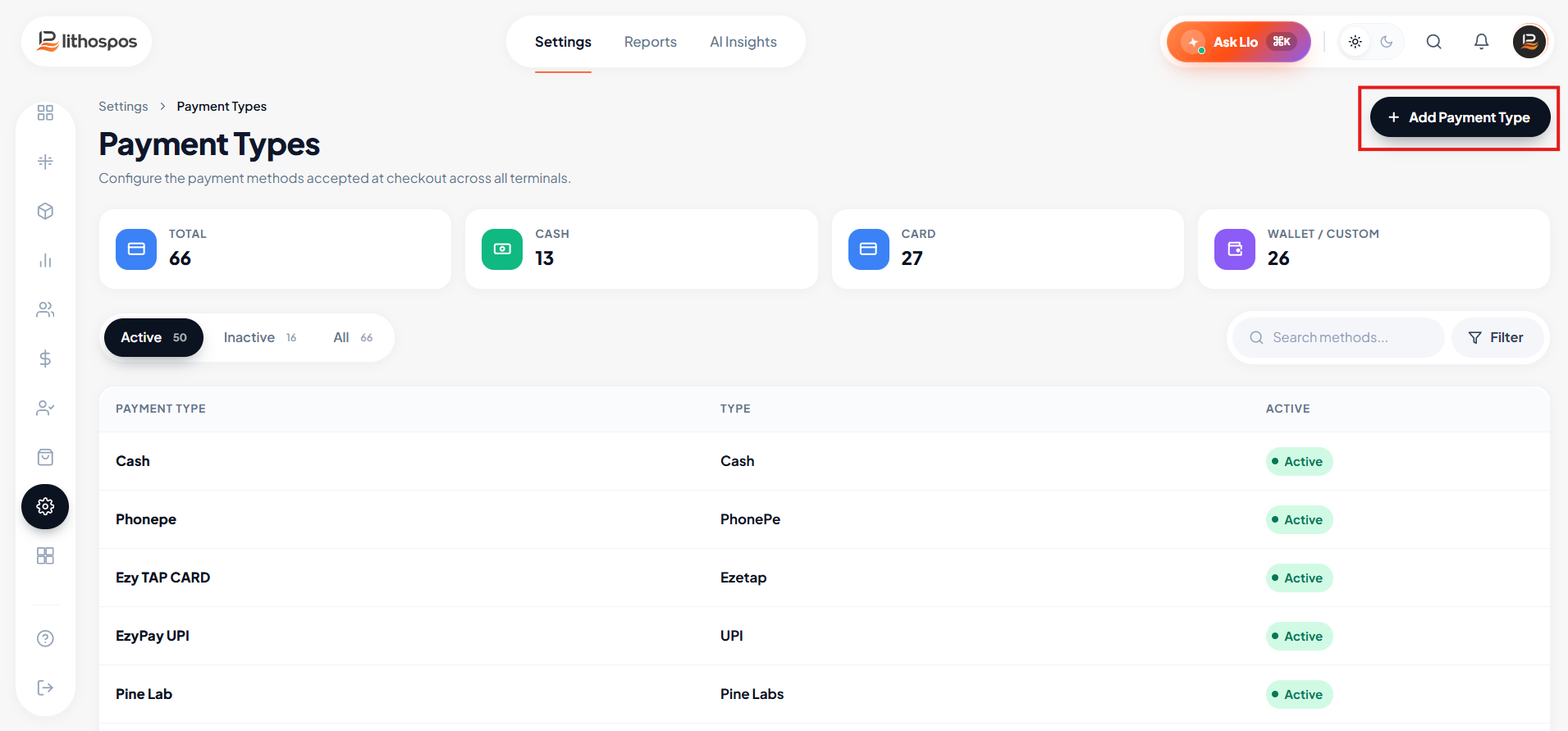
- Click Add Payment Method
- Enter Linkly as the payment method name
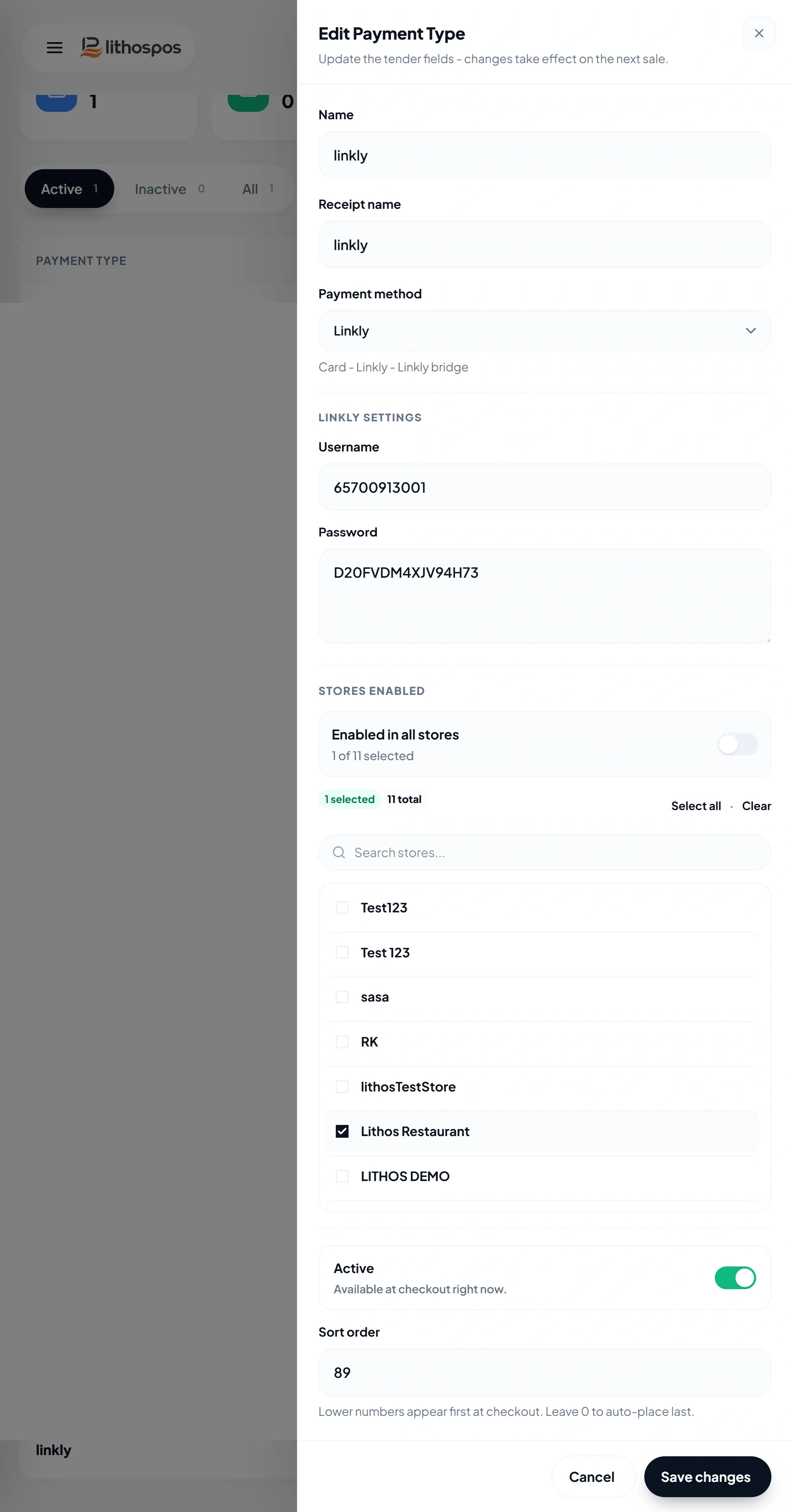
- Select Linkly as the payment method type
- Enter your Linkly username and password
- Assign the payment method to the relevant stores
- Click Save Payment Type to save your settings and perform a POS Sync
Configuration in the POS Application
- Open the LithosPOS POS application
- Navigate to Settings → Linkly
Enter the terminal connection details:
- IP Address
- Port
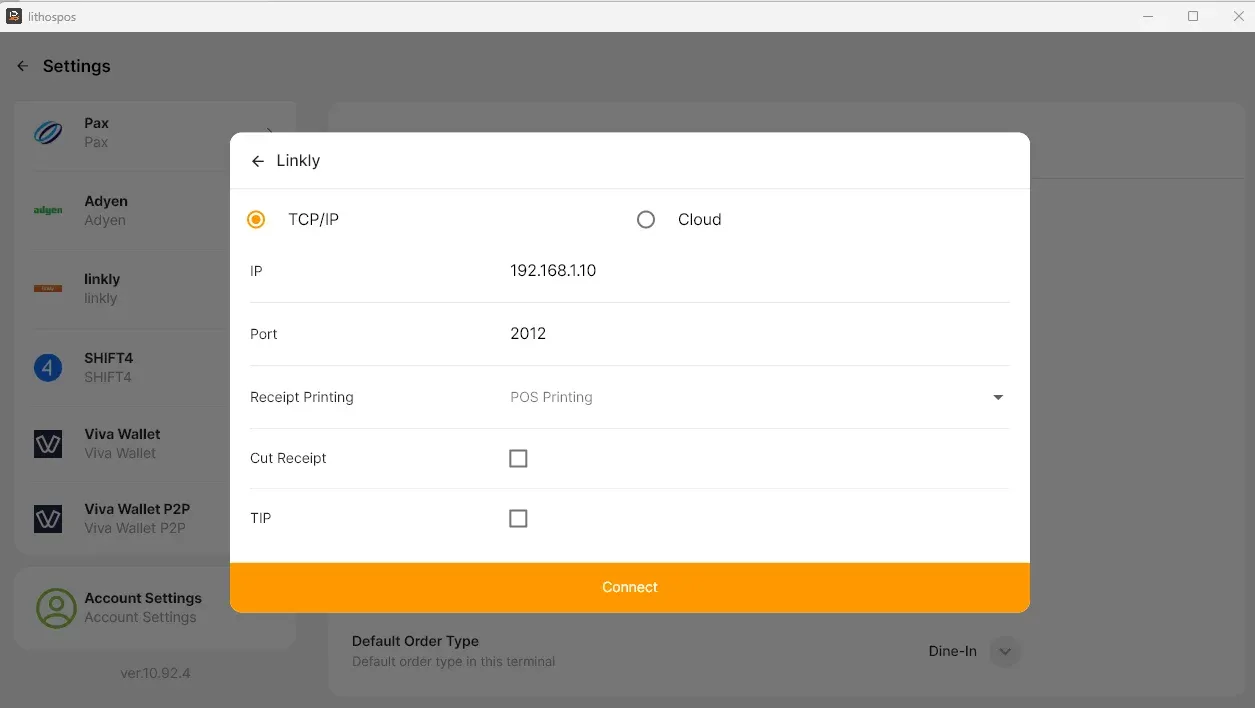
Configure the following options if required:
- Receipt Printing Type
- Cut Receipt
- Enable Tip
- Click Connect and Save
Linkly Payment Workflow
- The cashier adds items to the cart
- The cashier selects Linkly as the payment method
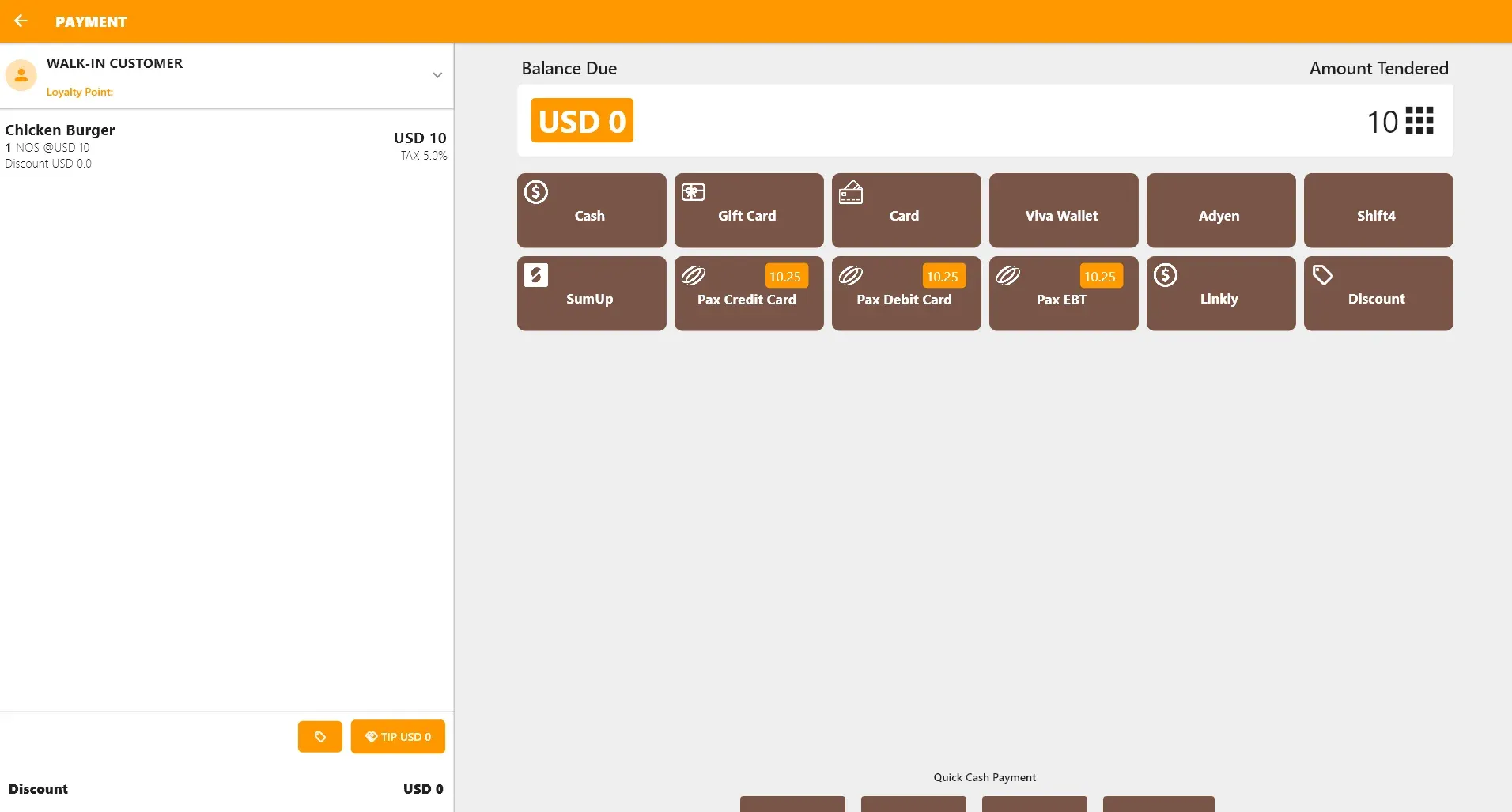
- LithosPOS automatically sends the payment amount to the Linkly terminal
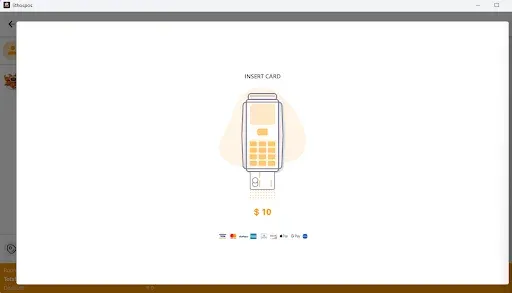
- The customer completes the payment on the terminal
- Linkly returns the transaction result to LithosPOS
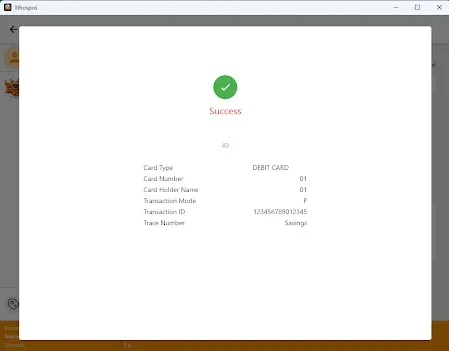
If the transaction is approved
- The sale is completed in LithosPOS
- Payment is recorded under Linkly
- Receipts are printed based on the configured settings
If the transaction is declined or cancelled
- The sale remains unpaid in LithosPOS
- The cashier can retry the payment or select another payment method
Voids and Settlement
- Void transactions can be performed for same-day sales before the batch is settled.
- Linkly terminals typically follow a daily settlement process, where approved transactions are stored in the terminal and submitted to the payment processor during end-of-day settlement.
- Once the batch is closed, voids can no longer be processed from LithosPOS.
- Any post-settlement adjustments must follow the merchant procedures defined by Linkly.
Reporting and Reconciliation
- Linkly payments are recorded in LithosPOS sales and payment reports.
- During end-of-day reconciliation, merchants should compare LithosPOS reports with Linkly terminal settlement reports to ensure accuracy.
Important Notes
- Linkly integration is available only in supported regions such as Australia and New Zealand.
- Stable network connectivity is required for reliable payment processing.
- Any terminal configuration changes should be coordinated with Linkly support.
Support
- For Linkly integration activation, configuration assistance, or troubleshooting, please contact Team LithosPOS Support and provide the following details:
- Merchant account information
- Terminal model and configuration
- POS store details
Connect with us to know more
To learn more about it feel free to book a meeting with our team
Cet article vous a-t-il été utile ?